How to Tell if an AirTag Is Tracking You (iPhone and Android)
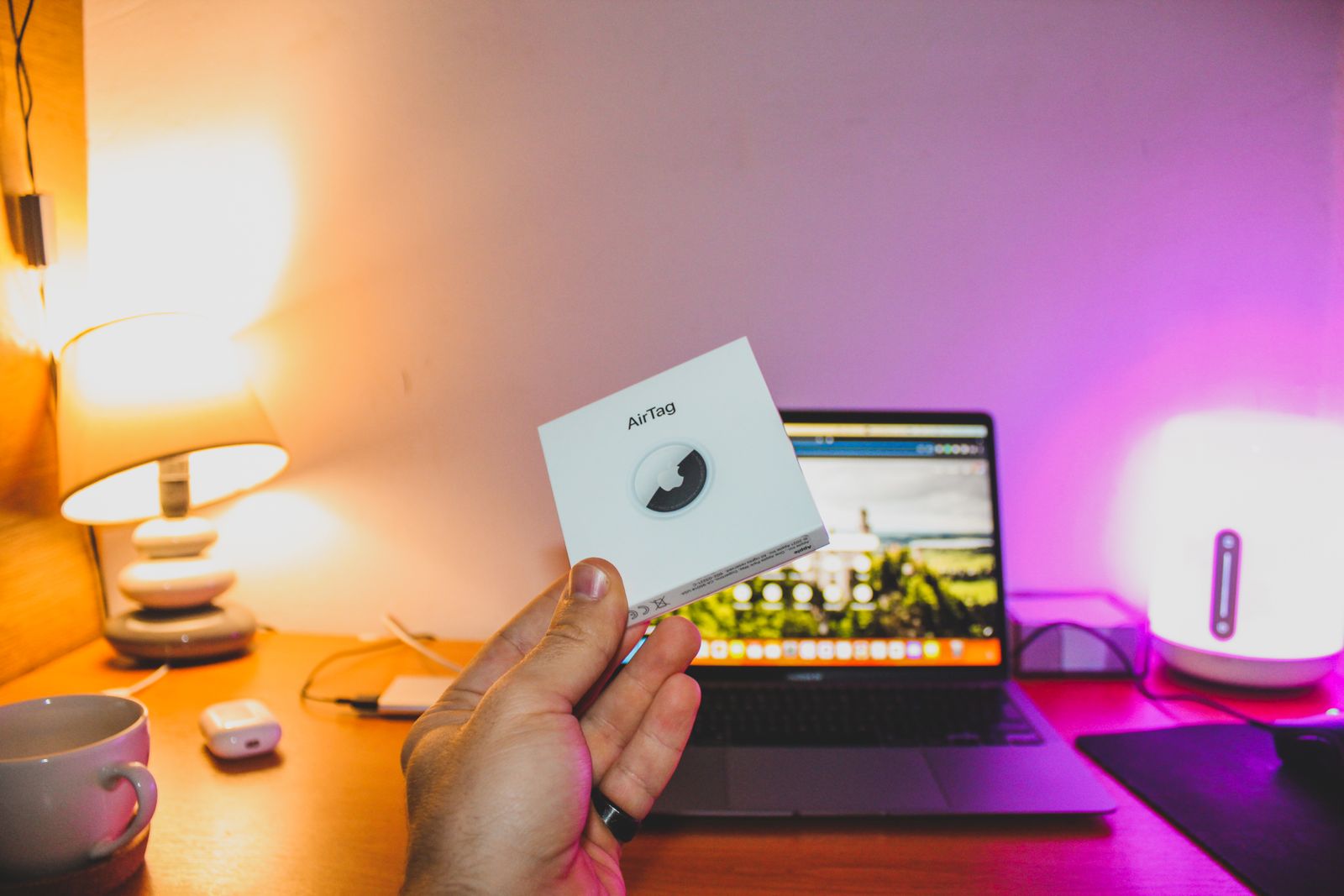
An AirTag is a coin sized Bluetooth tag. It has no GPS and no SIM. It works by shouting a rotating identifier over Bluetooth, which any passing Apple device picks up and relays, encrypted, to the owner. That design is why a tag hidden in your bag reports your location without ever touching your phone or your network.
The good news is that the same system is built to notice when a tag is travelling with someone who does not own it. The bad news is how many conditions have to line up before you are told.
The alert you are waiting for, and why it may never arrive
On an iPhone, the notification reads along the lines of “AirTag Found Moving With You”. Tap it and you get a map of where the tag has been seen with you, a button to play a sound, and instructions to read the tag’s serial number by holding your phone against it.
Several things must all be true for that notification to fire:
- Your iPhone is running a recent version of iOS and Find My is enabled, along with location services and Bluetooth.
- The tag is separated from its owner. A tag in the pocket of the person sitting next to you is not “unknown”, it is simply near its owner, and nothing triggers.
- You have moved with it for long enough, across a change of location. A tag that sits with you in one room for an evening is far less likely to raise anything than one that travels with you to a second address.
That third condition is the one that catches people out. Tracking that stays inside a single building often produces no alert at all, because the system is looking for a tag that follows you between places.
Android gets far less, unless you go and look
Google has shipped unknown tracker alerts in recent Android versions, and Apple’s own Tracker Detect app exists on the Play Store. Neither is equivalent to the iPhone experience.
The Apple app does not run in the background. It scans only while you have it open and you press scan, so it will never wake you up with a warning. Android’s built in detection runs on its own schedule and covers a wider set of tags, but on many handsets it depends on settings that are off by default.
If you own an Android phone and you have a specific reason to be worried, treat detection as something you perform deliberately, not something you receive.
Make the tag reveal itself on purpose
Waiting is the weak strategy. These three checks take a few minutes each and do not depend on being notified.
1. Trigger a manual scan. On iPhone, open Find My, go to the Items tab, and look for the option to identify a found item. On Android, install Apple’s Tracker Detect or use the unknown tracker alerts screen in your settings, then run a scan while standing still.
2. Change rooms and scan again. A tag reports itself over Bluetooth in bursts, not continuously. Scanning once and seeing nothing is not a clean result. Move away from other people’s devices, wait a few minutes, and scan again so the tag has time to be heard while nothing else is nearby to confuse the picture.
3. Search the obvious places by hand. A tag is the size of a large coin and needs no wiring, so it goes wherever it will not be seen and will not fall out. In a car: under seats, inside the spare wheel well, in the glovebox seams, behind the rear licence plate. In a bag: the lining, an inner zip pocket you never open, under a removable base panel. On a coat: the hem, and the pocket you do not use.
A tag that has been tampered with will be silent
Apple added a speaker so that a separated tag eventually chirps. That speaker can be physically removed or muffled, and instructions for doing so are not hard to find. Tags sold specifically as “silent” exist.
So a tag that does not beep has not been ruled out. The Bluetooth radio is what makes the tracking work, and the radio cannot be disabled without making the tag useless to whoever placed it. Scanning finds tags that a sound test misses, which is why the scan is the check that matters.
What to do when you find one
Do not immediately destroy it or throw it away, and think before you remove the battery.
- Do not tell the person you suspect. If someone placed it, the tag going quiet tells them you found it.
- Read its serial number. Hold an NFC capable phone against the white side of the tag. It opens a page showing the tag’s serial and, if the owner marked it lost, a partial phone number. That is evidence.
- Photograph it where you found it, in place, before touching anything else.
- Take it to the police if you feel unsafe. The serial number can be tied by Apple to the account that registered it, on a valid legal request. That link is the reason the serial matters more than the tag itself.
- Only then disable it. Twist the metal back plate counterclockwise and remove the coin cell. The tag stops reporting the moment the battery is out.
If the situation involves a former partner or someone with access to your home, treat the tag as one piece of a larger problem rather than the whole of it. Physical trackers are often paired with software on the phone itself, and the two need to be dealt with together. Our guide to spyware covers the software half, including the stalkerware apps that hide from the app drawer.
It is not only AirTags
Tile, Chipolo and Samsung SmartTag hardware works on the same principle: a cheap radio beacon that borrows the phone network of strangers to report home. Detection support for non Apple tags is uneven and varies by phone.
Assume that “I scanned and found no AirTag” means exactly that, and not that you are free of trackers. If your concern is serious, a physical search of the car and the bag is still the most reliable single step, because it does not depend on any manufacturer choosing to tell you.
The habit worth keeping
You may well never find a tracker. The check that costs nothing is knowing where the scan lives on your phone before you need it. Open Find My or your Android tracker settings once today, find the screen, and you will not be learning the interface on the evening you actually need it.
If the wider question is how much your phone gives away while you carry it, tracking tags are a small part of it. Location history, advertising identifiers and app permissions leak more, more often, to more parties, and unlike an AirTag they are doing it with your consent buried in a settings screen.