Qubes OS in 2026: How the Most Secure Desktop OS Actually Works
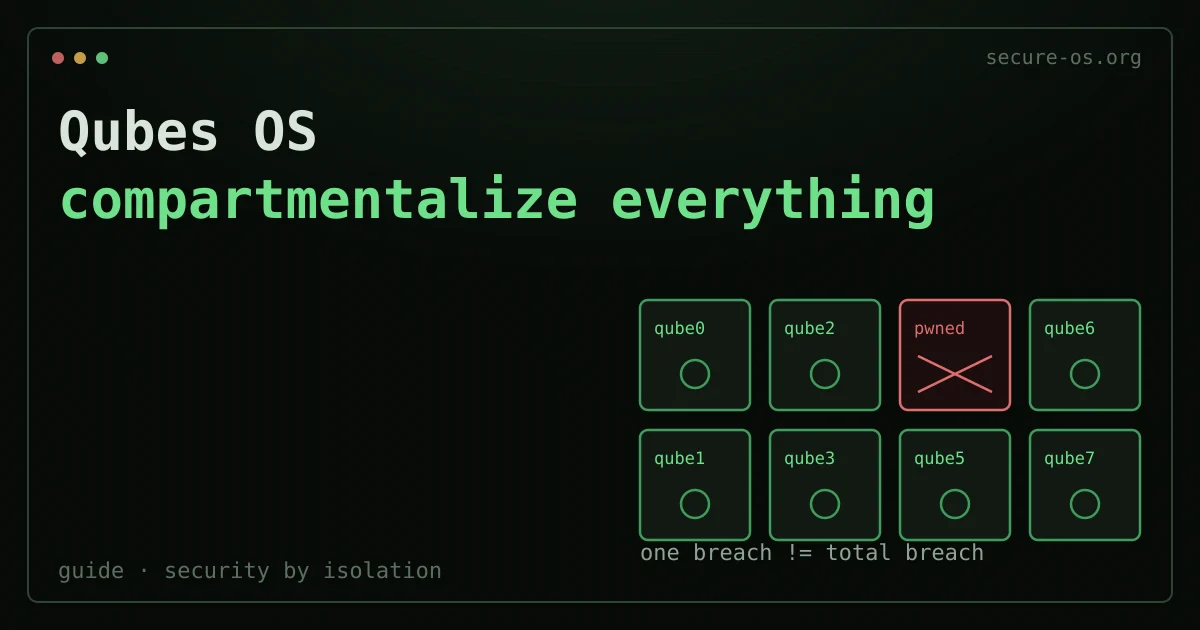
Most security-focused operating systems treat threat isolation as a feature. Qubes OS treats it as the core design. The result is a desktop unlike anything else in the open-source world. It has earned backing from Edward Snowden, the Freedom of the Press Foundation, and security researchers who face hostile threat models every day.
This review covers what Qubes actually does and how it works under the hood. It also covers who it suits and where it falls short. We list the real hardware needs, not the theoretical minimums.
What Is Qubes OS?
Qubes OS is a Xen-based desktop operating system. It is built around the idea of security by compartmentalization. Most systems run your browser, email client, and work documents inside one operating system. There, a compromise of any one app can spread to the others. Qubes instead runs each of these in its own isolated virtual machine, called a qube (more formally, an AppVM).
The project was founded by Joanna Rutkowska, a Polish security researcher and founder of Invisible Things Lab. Rutkowska announced the project in 2010 and released the first public version in 2012. She is also known for earlier work on Blue Pill (a hardware virtualization rootkit) and on Intel TXT flaws. That work built her name in low-level system security.
Qubes 4.2 is the current stable release series as of mid-2026. It brought big changes: a move to a new Admin API, better device management, and better support for AMD IOMMU. The full changelog is kept at qubes-os.org/doc/releases/4.2/.
The project has been recommended by Snowden since at least 2016. A number of journalists and researchers at the Freedom of the Press Foundation use it as a daily driver. It is free and open-source, licensed under GPL.
The Architecture: How Compartmentalization Actually Works
To understand Qubes, you need to understand three layers: the hypervisor, the management domain, and the user qubes.
The Xen Hypervisor
Qubes does not run on Linux directly. It runs on the Xen hypervisor. This is a type-1 (bare-metal) hypervisor that launches before any operating system. That matters: the hypervisor has direct control over hardware. So no single guest OS can compromise the others without first compromising Xen itself.
Xen has had years of steady security research. It has a dedicated security team that issues XSAs (Xen Security Advisories). Qubes keeps a page that tracks which XSAs affect Qubes installs. The security model is open about what it depends on.
dom0: The Management Domain
Qubes runs a privileged virtual machine called dom0 (domain zero). It handles display output, input devices, and admin tasks. dom0 runs a stripped-down Fedora or Debian Linux and is kept off the network on purpose. No networking is allowed in dom0 by default. If dom0 is compromised, the whole system is too. That is why Qubes works hard to keep dom0 away from untrusted input.
You work with dom0 through the Qubes Manager and terminal. But you do not browse the web or open email attachments there.
AppVMs: Your Actual Work Environments
Your day-to-day applications run in AppVMs (also called qubes). A typical setup might include:
- A
workqube with your office tools and VPN - A
personalqube for personal browsing - A
bankingqube used only for financial sites - An
untrustedqube for random downloads and links you do not fully trust
Each qube shows up on your desktop as a normal window, color-coded by domain (red for untrusted, green for trusted, yellow for in between). Qubes’ X Window compositing ties the windows together. You see one unified desktop, but each window is actually drawn inside its own VM.
Templates
AppVMs do not each carry a full OS install. Instead, they share read-only template VMs. A TemplateVM might be a full Fedora or Debian install, and many AppVMs can be based on it. Changes made inside an AppVM stay in a thin private storage layer, not in the template. So you can update software in the template, and every AppVM based on it gets the update. But a compromised AppVM cannot change the template.
Disposable Qubes
DisposableVMs (or Disposables) are short-lived qubes. They vanish entirely when you close them. Open a suspect PDF attachment in a Disposable. When you close the viewer, everything the PDF may have done to that VM is gone. This is one of Qubes’ most useful security features for everyday work.
Hardware Requirements: What You Actually Need

The official minimum specs are technically correct. But in practice they are too low for comfortable use.
| Component | Minimum | Recommended |
|---|---|---|
| CPU | 64-bit Intel or AMD with VT-x/AMD-V | Intel Core i7/i9 or AMD Ryzen 7/9 (recent gen) |
| RAM | 6 GB | 16 GB (32 GB for power users) |
| Storage | 32 GB SSD | 128 GB+ NVMe SSD |
| IOMMU | Required (VT-d / AMD-Vi) | Required |
| TPM | Optional | 2.0 recommended |
RAM is the main bottleneck. Each running qube uses its own memory. Picture a setup with dom0, a sys-net, a sys-firewall, a sys-usb, and three AppVMs open at once. It will use 10 to 14 GB under normal load. Running under 8 GB is technically possible. But it leads to frequent swapping and a clearly worse experience.
IOMMU support (VT-d on Intel, AMD-Vi on AMD) is required. Without it, Qubes cannot enforce hardware-level isolation for devices like network cards and USB controllers. That breaks much of the security model. Most consumer laptops made after 2018 support this. Still, check the Qubes Hardware Compatibility List (HCL) before you buy hardware just for Qubes.
The HCL is community-maintained. It lists models with known working setups. Lenovo ThinkPads (X1 Carbon, T-series) and Purism Librem laptops show up often as well-tested options. System76 machines have mixed results, based on the model and firmware version.
Qubes vs. Running VMs in a Standard Linux Setup
A common question: why not just run VirtualBox or KVM on Ubuntu? The answer is that the security properties are wholly different.
| Property | Qubes OS | Standard Linux + VMs |
|---|---|---|
| Hypervisor type | Type-1 (Xen, bare metal) | Type-2 (runs inside host OS) |
| Host OS attack surface | dom0 is minimal, no network | Full host OS exposed |
| GUI isolation | Composited, hardware-enforced | Shared X server (significant attack surface) |
| USB isolation | sys-usb VM by default | USB directly attached to host |
| Network isolation | sys-net VM, separate from apps | Host network stack shared |
| Template system | Shared read-only base, thin private layer | Full disk per VM or manual setup |
| Disposable environments | First-class feature | Manual, no integration |
Running a VM inside a normal OS adds a layer of isolation. But the host OS stays a single point of failure. A keylogger on the host sees everything. Qubes drops the trusted host OS entirely. The hypervisor is the trusted part, and it is far smaller.
Whonix Integration: Optional Tor Routing Built In
Compartmentalization isolates your apps from each other, but on its own it does not hide your IP address. Qubes solves that with an optional Whonix integration that you can enable during install or add later as templates.
In a Qubes setup, Whonix runs as two dedicated qubes:
- sys-whonix - the Tor gateway qube. It is the only component that talks to the network, and it routes everything through Tor.
- anon-whonix - a workstation qube whose traffic is forced through sys-whonix.
The key property is that the workstation qube has no direct network access. It can only reach the internet through the Tor gateway. So even if an application inside anon-whonix is fully compromised, it cannot leak your real IP - there is no non-Tor path for it to use. This fail-closed design is far stronger than simply running Tor Browser inside a normal VM, where a malicious app can often bypass the proxy.
This pairs the two halves of a serious threat model: Qubes handles workstation isolation, and Whonix handles network anonymity. For the standalone system and how it works outside Qubes, see our Whonix review, and for a head-to-head with the other options, our Qubes vs Tails vs Whonix comparison.
Who Qubes Is For
Qubes makes sense if your threat model includes targeted attacks on your workstation. Think of journalists talking to sources in hostile countries, lawyers handling sensitive client messages, security researchers studying malware, or activists working under surveillance.
It also makes sense for skilled users who want strong compartmentalization as a general habit, even with no specific attacker in mind.
It does not make sense as a first Linux experience. The learning curve is real. To grasp templates, AppVMs, and the sys-* infrastructure, you need to know how virtualization and networking work. The Qubes documentation is thorough and well-kept, but it is large.
The Qubes community has long been active on developer mailing lists and forums. The Secure Desktops mailing list hosted at this domain in 2015 included Rutkowska and core Qubes contributors. See our heritage page for that history. The project charter that grew out of those talks still shapes how we cover compartmentalization-based systems.
Installation Overview
Installation follows a standard Fedora/Anaconda installer flow. Download the ISO from qubes-os.org. Verify the signature against the Qubes Master Signing Key. The documentation walks through this with GPG. Then boot from USB.
The installer sets up dom0, creates the default template VMs (Fedora and Debian by default), and sets up the sys-* service VMs. First boot takes longer than a standard Linux install because templates are being filled in. Total install time is usually 30 to 60 minutes, based on storage speed.
After install, the Qubes Manager gives you a GUI to create and manage qubes. Advanced setup happens in dom0 via the terminal, using qvm-* commands.
Limitations Worth Knowing
GPU passthrough is hard. Running GPU-accelerated apps inside AppVMs is not simple. Gaming on Qubes is basically unsupported as a mainstream use case. Video editing with GPU acceleration is held back the same way. This is a known design limit. The GPU isolation problem is hard to solve without adding new attack surfaces.
Performance overhead is real. Running many VMs means memory and CPU are shared across them. On good hardware (32 GB RAM, a modern CPU with many cores), this is fine. On a 16 GB machine with many qubes open, you will notice it.
Sleep and resume can be flaky. Suspend and resume depend heavily on hardware support for Xen. Some machines work well, and others do not. Check the HCL before you assume your laptop will sleep normally.
The UX is quirky. Copying files between qubes needs an explicit inter-qube transfer. Clipboard sharing is limited on purpose. You paste into a target qube by choice, not on its own. These are features from a security view. But they add friction that users of standard desktops will notice.
Qubes and Your Privacy Stack
Compartmentalization solves workstation isolation. It does not solve every privacy problem. Your email provider still sees your messages before they reach your mail client. That holds true no matter which qube is running it.
Qubes also does not answer where your documents live once they leave the machine. Backups from dom0 take some care. The qvm-backup tool handles inter-qube backup, but off-machine storage is a separate matter. For documents qube content, it is worth weighing an encrypted cloud that does not ask you to trust the host machine.
For a broader look at how Qubes fits a layered privacy approach, see the Qubes documentation. It covers pairing OS-level isolation with network-level protections, such as the Whonix integration covered above.
Verdict
Qubes OS is the most carefully designed desktop operating system for users with serious security needs. The Xen-based compartmentalization model, template system, and disposable VMs form one coherent security design. It is not a pile of hardening patches bolted onto a normal OS.
The tradeoffs are real. Hardware needs are high, GPU support is limited, and the learning curve is steep. For users whose threat model is worth those tradeoffs, Qubes is unmatched.
If you are weighing alternatives, see our coverage of Tails OS (an amnesic live system, a different use case) and our comparison of the most secure Linux distributions. These systems cover overlapping but distinct threat models. The right choice depends on how you actually work and what you are protecting.
The Qubes project is actively maintained. It has a responsive security team and a track record of open disclosure. If you are moving to a compartmentalized workflow, the effort to learn Qubes pays off in line with how sensitive your work is.
Frequently asked questions
What is Qubes OS in simple terms?
Qubes OS is a security-focused operating system. It splits your activities into separate virtual machines called “qubes” - for example, one for work, one for banking, one for untrusted browsing. If one qube is compromised, the damage stays contained and cannot reach the others. It is often called “security by compartmentalisation.”
Is Qubes OS hard to use?
It has a steeper learning curve than a normal desktop. It also needs capable hardware (good RAM and virtualisation support). Day-to-day use is fine once it is set up. But it makes you think about which qube to do things in. It rewards users with high-stakes threat models. For casual users it is usually more than they need.
Who should use Qubes OS?
Journalists, activists, researchers, security professionals, and anyone facing targeted threats who needs strong isolation. For everyday users, a well-kept mainstream OS with full-disk encryption and good habits is usually enough. Qubes shines when compartmentalisation truly matters.