Whonix: The Two-VM Operating System That Makes IP Leaks Impossible
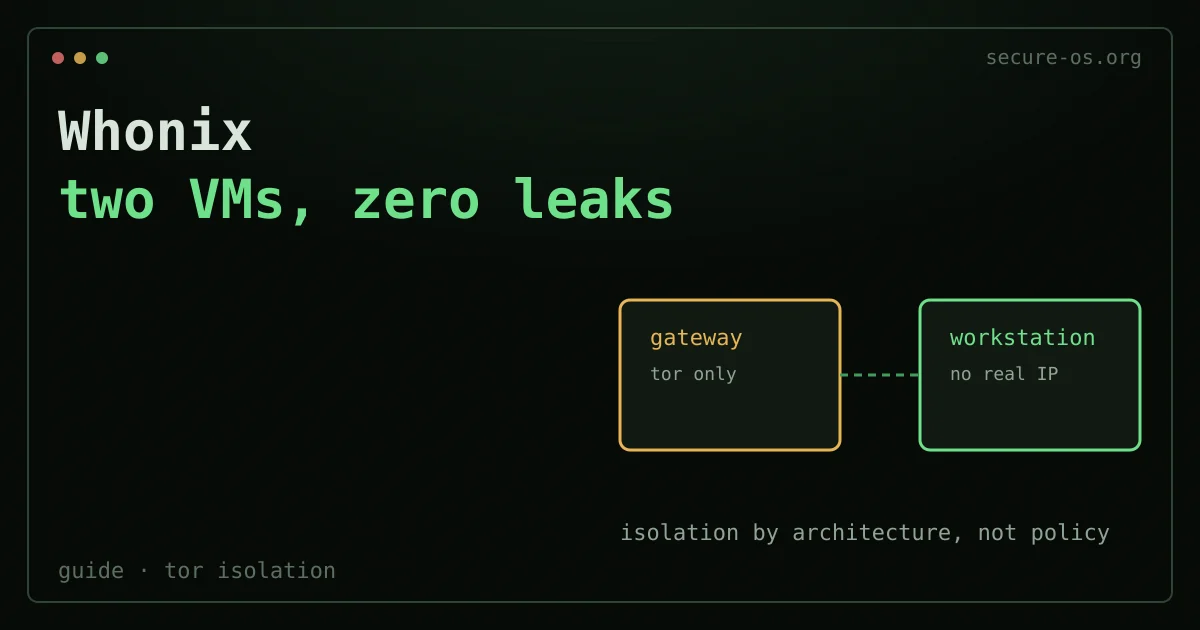
Most privacy operating systems rely on user discipline. You must configure Tor correctly. You must not install the wrong browser extension. You must not forget to route that one application. Whonix removes that need. Its architecture makes IP leaks impossible by design. This is not because users are careful. It is because the network stack that knows your real IP cannot talk to any software that touches the internet.
That is the promise. After more than a decade of work, the build largely delivers.
In short: Whonix is a free desktop operating system for anonymous computing that runs as two isolated virtual machines - a Gateway that talks only to Tor, and a Workstation that has no route to the internet except through that Gateway. Because the machine you work on never learns your real IP address, a misconfigured browser, a leaky plugin or a DNS leak cannot expose it. It runs on top of Windows, macOS or Linux through VirtualBox, KVM or Qubes.
What Whonix Is
Whonix is a desktop operating system built for anonymous computing. Patrick Schleizer (known online as adrelanos) created it in 2012. It is built on top of Kicksecure, a security-hardened Debian derivative. The current stable release is Whonix 18, based on Debian 13 (Trixie).
A live USB is one you boot into. Whonix is different: it runs as a pair of virtual machines on top of your existing operating system. That difference shapes everything about its threat model, its strengths, and its limits.
The project is open-source and community-funded. It has stayed in steady development since its first public release. Patrick Schleizer was also active in the early security-desktop research community. He took part in the Secure Desktops mailing list hosted on this domain in 2015. That included threads on MAC address spoofing strategies. This gives the project real roots in the operational security community, not the broader privacy marketing space. See the secure-os.org heritage page for that archive.
What an amnesic system does not erase
Leaving no trace on the machine is one thing. The accounts you sign into during that session are another: they remember, and they are reachable from anywhere with the same password. An amnesic system protects the device, not the identity you use from it.
Situate your own attack surface, 10 questions, about three minutes, no account, no email, nothing stored. The result names what actually exposes you, which is often on the account side rather than the machine side.
The Two-VM Architecture: Why IP Leaks Become Impossible
This is the core of Whonix. It is worth understanding clearly.
Whonix splits its work across two virtual machines:
Whonix-Gateway runs Tor and nothing else relevant to the user. It has two virtual network adapters. One connects to your host network, and so to the internet. The other connects to an isolated internal virtual network. The Gateway knows your real IP address. It is the only component that does.
Whonix-Workstation is where you actually work. You browse, write, and run applications here. The Workstation has exactly one network adapter. It connects only to that isolated internal virtual network. It has no path to the internet except through the Gateway. The Workstation does not know your real IP. It cannot know it. The only network it can reach routes through Tor.
The result is clear. An application on the Workstation may be compromised. Malware may run with full user privileges. Even then, it cannot bypass Tor to reach the internet directly. There is no interface to bypass. The Workstation’s whole network stack ends at the Gateway, and the Gateway speaks only Tor.
This differs from a browser set up to use Tor. A misconfigured browser, a plugin that ignores proxy settings, a DNS leak - none of these can expose your IP in Whonix. The reason is simple: the Workstation has no route to reach a DNS server or any host directly. The hypervisor enforces the isolation, not software configuration.
This architecture is documented in detail at whonix.org.
Running Whonix: VirtualBox, KVM, and Qubes

Whonix is hypervisor-agnostic by design. But the hypervisor you pick affects both the security profile and the user experience.
VirtualBox
This is the easiest path for new users. Whonix provides pre-built .ova appliances for both Gateway and Workstation. Import them into VirtualBox. Set up the internal network adapter to connect both VMs. The system then works within roughly twenty minutes. VirtualBox runs on Windows, macOS, and Linux. So Windows users can run Whonix without changing their primary OS.
The trade-off is the attack surface. VirtualBox has a broader one than type-1 hypervisors. Its open-source audit record is thinner than other options too. For most users, this trade-off is fine. For high-threat-model users, it is not.
KVM
Running Whonix under KVM on Linux gives better performance and a smaller hypervisor attack surface. Whonix provides .qcow2 images for KVM. The setup is less automated than VirtualBox. It assumes you are comfortable with Linux and virt-manager or the command line. But the resulting system is clearly more efficient. RAM usage is lower. The host kernel’s link with KVM gives hardware-level isolation that VirtualBox cannot match.
Qubes-Whonix
This is the setup that operational security professionals most often recommend when the threat model is serious.
Qubes OS uses a security-by-compartmentalization model. Every application domain runs in its own lightweight VM, called a qube. Qubes has native Whonix integration. The Whonix-Gateway becomes a Qubes NetVM, a networking domain. The Whonix-Workstation becomes a TemplateVM that application qubes derive from. So many isolated browser sessions, document editors, or communication apps can each run in their own qube. All of them route through the same Whonix-Gateway.
In Qubes-Whonix, the security boundaries stack. You get qube isolation from Qubes OS plus Tor isolation from Whonix. Compromising one application qube gives access to nothing else on the system. This setup is described at whonix.org/wiki/Qubes.
The cost is hardware. Qubes-Whonix runs well only on machines with 16 GB RAM or more and a processor with strong virtualization extensions. It is not suited to entry-level hardware.
Installing Whonix: What to Expect
Installation on VirtualBox follows roughly these steps:
- Download both
.ovafiles (Gateway and Workstation) from whonix.org and verify the signatures with GPG. - In VirtualBox, go to File > Import Appliance and import the Gateway
.ova. Repeat for the Workstation. - Verify that both VMs share the same internal network (VirtualBox sets this up automatically from the appliance).
- Start the Gateway first, wait for it to establish a Tor connection, then start the Workstation.
First-boot setup on both VMs means accepting a user agreement and updating packages. The Whonix team keeps a detailed installation wiki that covers every platform variant. If your threat model is serious, signature verification before import is not optional. The project signs every release with a documented GPG key.
Update cadence matters. Whonix follows a rolling model within major releases. You update with standard apt commands inside each VM. The Whonix-Gateway update checker widget shows Tor circuit status and update availability on the desktop.
Tails vs Whonix: Which One Do You Need?
This comparison comes up all the time. The honest answer is that they solve different problems. Neither one is better across the board.
| Dimension | Tails | Whonix |
|---|---|---|
| Form factor | Live USB, boots from removable media | Virtual machines, runs on host OS |
| Amnesia (no persistence by default) | Yes - RAM only, leaves no trace on host | No - VMs are persistent by default |
| Tor routing | All traffic by default | All Workstation traffic via Gateway |
| Host OS exposure | Bypasses host OS completely | Host OS remains a potential attack surface |
| Persistent storage | Optional encrypted volume | Full persistent storage |
| Suitable for long sessions | Awkward - must reboot into Tails | Natural - open and close like any app |
| Hardware requirements | Minimal - runs on most hardware from USB | Moderate to high - requires RAM for multiple VMs |
| Use with Qubes | Not applicable | First-class Qubes integration |
| Best for | One-off anonymous tasks, journalists carrying sensitive material | Long-term pseudonymous identities, developers, researchers |
The key idea is amnesia versus persistence. Tails forgets everything after each session by design. It is built for the case where leaving no trace on the computer matters more than anything else. Whonix assumes you want to keep an identity or workflow across sessions. It protects that workflow through network isolation, not amnesia.
Say you are a journalist receiving sensitive documents on a public computer, and you need to leave no forensic trace: pick Tails. Say you are a researcher keeping a pseudonymous identity for months, and you need to run custom software, manage files, and work in comfort: pick Whonix.
Both route traffic through Tor. Both are maintained, open-source, and used by people with serious threat models. They are not really competitors. They are tools for different operational contexts.
Honest Limitations
Whonix’s architectural guarantees are real, but they have limits.
The host OS remains a surface. The Workstation cannot leak your IP through the network. But say the hypervisor or host OS is compromised before Whonix runs. That guarantee is then weakened. Whonix does not protect you from a host OS rootkit. Qubes-Whonix cuts this risk a lot. Still, it cannot remove the hardware layer below everything.
Performance overhead is real. Running two VMs plus a host OS needs real compute resources. On modest hardware - say, 8 GB RAM - the experience is usable but not comfortable. Give at least 2 GB to the Workstation and 512 MB to the Gateway. More is better.
Tor is not magic. Whonix makes sure all your traffic goes through Tor. But it does not fix traffic correlation attacks at the network level. It does not protect against browser fingerprinting within the Tor Browser session. And it does not help if you log into an account linked to your real identity. The anonymity set is Tor’s anonymity set, with all of its strengths and known weaknesses.
Timing and behavior matter. You might use Whonix to post at the same hours you always post. You might discuss topics tied only to your real-world knowledge. You might write in the same style as your non-anonymous writing. In those cases, the network layer is not your binding constraint.
VPN-over-Tor configurations need care. Some users route a VPN through Tor for specific use cases. This is possible in Whonix. But it adds complexity and can reduce anonymity if done wrong. The whonix.org documentation on VPN configurations is thorough on this. Read it before you try it. Tor is sometimes blocked, or its latency is too high. In those cases a reputable no-logs VPN serves as a pragmatic alternative. Note that it gives much weaker anonymity guarantees than Tor.
Verdict
Whonix is the most rigorous approach to Tor-based anonymous computing on standard hardware. The two-VM architecture is not a gimmick. It removes a whole class of mistakes that defeat every other privacy setup. The Qubes-Whonix combination stands out here. It is the closest thing to a full compartmentalization-plus-anonymity stack that can run on consumer hardware.
It is not the right tool for every situation. Tails is better when the goal is leaving no trace. A standard hardened Linux desktop with a VPN is more practical when your threat model does not require Tor. And Whonix needs real commitment. You need to understand the architecture, keep both VMs updated, and behave in line with your threat model.
But say you need persistent, long-term anonymous computing with real technical guarantees rather than hoped-for discipline. Then Whonix 18 is where the field is.
Frequently asked questions
What is Whonix?
Whonix is a security- and privacy-focused operating system. It forces all internet traffic through the Tor network. So your real IP address is never exposed, even if an application is compromised. It runs as two parts: a gateway that handles Tor and a workstation where you work. These usually run inside virtual machines.
What is the difference between Whonix and Tails?
Both route traffic through Tor, but they serve different needs. Tails is amnesic. It boots from a USB stick and leaves no trace after shutdown. That is ideal for occasional, leave-no-trace sessions. Whonix is a persistent system, usually in VMs. It isolates Tor from your workspace and is built for ongoing anonymous work. Use Tails for short-lived sessions and Whonix for a durable anonymous setup.
Does Whonix make me fully anonymous?
It strongly protects against IP leaks. It routes everything through Tor and isolates the network layer. That is its key strength. But no tool guarantees total anonymity. Your own behaviour can deanonymise you, such as logging into personal accounts or sharing identifying details. Endpoint compromise remains a risk too. Whonix removes a major class of leaks, not human error.