The 7 Most Secure Linux Distros in 2026 (Ranked by Threat Model)
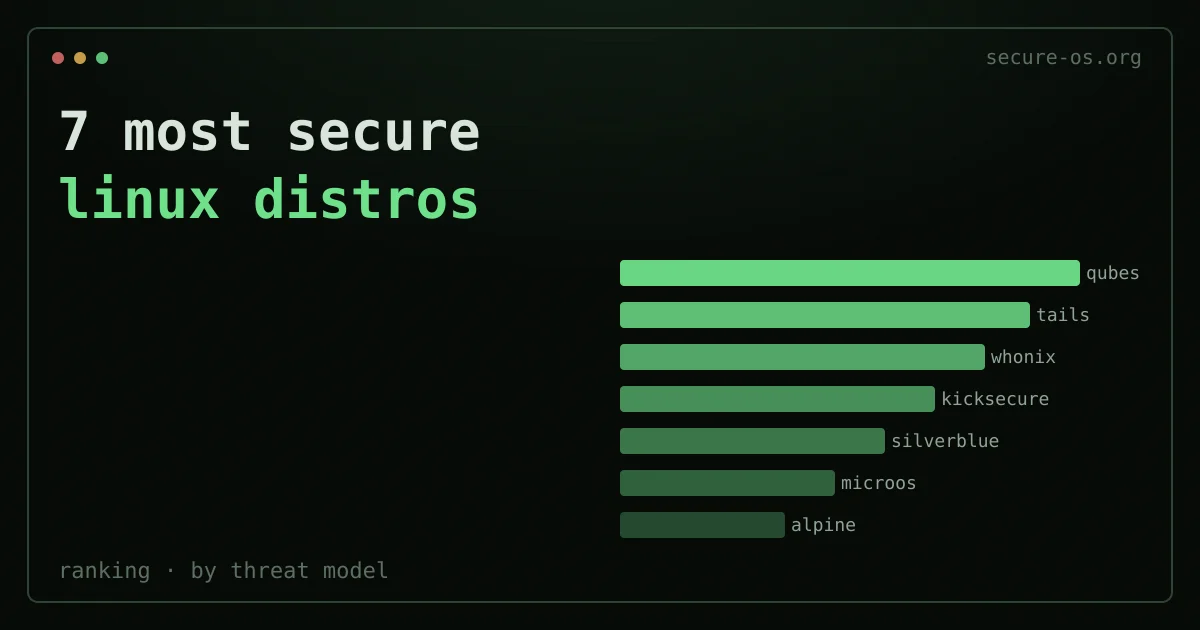
The short answer: there is no single most secure Linux distro - the right one depends on your threat model. Qubes OS is strongest for desktop isolation, Tails for anonymous leave-no-trace sessions, Whonix for persistent anonymity, Kicksecure or Fedora Silverblue for a hardened everyday desktop, and Alpine for a minimal server/container attack surface. Pick the one that matches what you are actually defending against - the ranking below explains each by threat model.
Every “most secure Linux distro” list you have seen probably ranks distros by how many security features they ship. That framing is backwards. A distro packed with hardening controls is not always safer than a minimal one. It depends on what you are protecting, against whom, and under what conditions.
This guide ranks seven distros by threat model. Each entry answers the same three questions. What is the main attack surface this distro was built to shrink? What does it use to do that? And can you run it every day? A summary table at the end maps each distro to the threat it handles best.
Not sure which fits you? Take our Which Secure OS quiz. A few questions about your threat model and use case point you to the right match.
If you are weighing Arch-based options, read whether the Arch User Repository (AUR) is safe first; and if you are switching from another platform, how Linux compares to Windows on security sets realistic expectations. Whichever distro you land on, the network layer is a separate decision: the best VPN for Linux compares the three clients that install from a real repository and keep a firewall-level kill switch.
What “secure” actually means - and why it depends on your threat model
Security is the absence of risk against one chosen attacker and one chosen set of assets. Say a distro is built to protect a journalist from a nation-state spying operation. It has almost nothing in common with one built to stop a public web server from being broken into.
Three axes matter most when you judge a secure Linux distro:
Isolation. Can a hacked app break out to the host or to other apps? This is the main worry for high-value desktop targets.
Anonymity. Can network traffic be tied to your real identity or location? This matters for activists, whistleblowers, and anyone whose browsing habits are sensitive on their own.
Persistence and attack surface. Does the OS build up state that attackers can use? Immutable and amnesic systems limit this on purpose. A smaller default install means fewer packages to patch, fewer daemons running, fewer CVEs that apply.
None of these is always more important than the others. What follows ranks distros inside each threat group. It is not one global ranking.
1. Qubes OS - Maximum isolation, desktop use cases
Current release: 4.3.1 | Base: Fedora/Debian AppVMs on Xen | Daily driver viable: Yes, with caveats
Qubes is the only mainstream OS whose security model is enforced at the hypervisor level, not inside the OS itself. Every app - browser, email client, work documents, personal files - runs in its own virtual machine called an AppVM. A hacked browser cannot read your SSH keys. The browser lives in a different VM from the one that holds your credentials. The Xen hypervisor handles all talk between VMs. A break-in on one guest VM does not grant access to the hypervisor or to other VMs.
The design traces to Joanna Rutkowska’s 2010 announcement. She set it out in her “Why Qubes OS” documentation. The project has been backed by Edward Snowden. The Freedom of the Press Foundation also suggests it for journalists who work with sensitive sources.
Hardware needs are real. Qubes needs a CPU with VT-x and VT-d (AMD: AMD-V and AMD-Vi), at least 16 GB of RAM for smooth use, and an SSD. Machines without IOMMU support will run, but without device isolation, which weakens the model a lot.
Threat model it addresses: Targeted compromise of one app on a high-value desktop. If your browser gets exploited, the attacker gets the browser VM. Not your identity, not your keys, not your work.
For a full technical walkthrough see our Qubes OS review.
2. Tails - Amnesic anonymity, hostile environments
Current release: 7.8.1 (June 4, 2026) | Base: Debian | Daily driver viable: No - by design
Tails (The Amnesic Incognito Live System) is a live OS built to leave no trace on the machine it runs on. It boots from a USB stick (here is how to install Tails on a USB). It routes all traffic through the Tor network. Unless you set up a Persistent Storage volume on purpose, it writes nothing to disk. Shutdown wipes the RAM image. The next session starts clean, the same as the last.
The threat model differs from Qubes. Tails does not protect you from a hacked app the way Qubes does. It protects you in other ways. It blocks forensic study of the machine after the fact. It blocks network spying that ties your activity to your location. And it blocks malware that lasts across sessions. A targeted malware implant that runs during a Tails session cannot survive reboot. Picture a journalist meeting a source in a country with heavy network spying. They gain more from Tails than from a hardened persistent OS.
Tails ships with Tor Browser, OnionShare, KeePassXC, and a chosen set of tools for secure talk. The project keeps a threat model documentation page that is unusually honest about what the system does not protect against. That list includes attacks on the Tor network itself, hardware keyloggers, and BIOS/UEFI firmware attacks.
Threat model it addresses: Surveillance of network activity, forensic recovery of activity history, persistence of malware across sessions.
See our Tails OS review for setup instructions and known limitations.
3. Whonix - Persistent anonymity with workstation isolation

Current release: 18 (based on Debian 13 Trixie) | Base: Debian | Daily driver viable: Yes, inside a host hypervisor
Whonix takes a different path to the anonymity problem than Tails. It is not amnesic. It is persistent. But it enforces a hard network setup. The Whonix-Gateway VM routes all traffic through Tor. The Whonix-Workstation VM has no direct network access at all. Even if the Workstation is fully hacked, the attacker cannot find your real IP address. The Workstation VM has no path to the network except through the Gateway VM’s Tor link.
Whonix 18 is built on Debian 13. It runs as two VMs inside a host hypervisor, often KVM/QEMU or VirtualBox. The Whonix documentation explains the two-VM design in detail. The project is run by the same team behind Kicksecure, and the two share hardening tooling.
Unlike Tails, Whonix keeps state between sessions. This helps workflows that need continuity. You can keep pseudonymous identities, run long-lived Tor hidden services, or use apps that need persistent setup. The tradeoff is that malware can last across sessions, which Tails prevents.
Threat model it addresses: Network-level deanonymization while you keep persistent state. Useful when you need both continuity and IP-address-level anonymity.
See the Whonix review for a comparison with Tails and a walkthrough of the dual-VM setup.
4. Kicksecure - Hardened Debian for persistent desktops
Current release: 18 (based on Debian 13 Trixie) | Base: Debian | Daily driver viable: Yes
Kicksecure is a Debian derivative (full profile: Kicksecure). It applies a large set of upstream security hardening settings that Debian does not turn on by default. The project is documented openly at kicksecure.com. The hardening steps are listed plainly, not buried in config files.
Notable defaults include a hardened Linux kernel with grsecurity-inspired sysctl settings, kernel module signing, randomized MAC addresses, disabled coredumps, stronger /proc limits via hidepid, and a strict /etc/sysctl.conf that shrinks the kernel attack surface. Kicksecure also ships security-misc. This package sets dozens of hardening options drawn from the Kernel Self Protection Project advice.
The distro does not try to give you anonymity. It does not route traffic through Tor by default. It is a hardened general-purpose desktop. Kicksecure is also the base that Whonix-Workstation is built on. So the hardening stack has been reviewed in a serious anonymity use case.
Threat model it addresses: Fewer privilege escalation and lateral movement chances on a desktop that is online under a real identity. A good choice for developers and sysadmins who want Debian’s ecosystem with a smaller kernel and userspace attack surface.
5. Fedora Silverblue / Atomic - Immutability and SELinux for mainstream users
Current release: Fedora 44 | Base: Fedora | Daily driver viable: Yes
Fedora Silverblue (GNOME) and its siblings Kinoite (KDE) and Sericea (Sway) are “atomic” variants of Fedora. The base OS image is immutable. It ships as a single OCI container image using rpm-ostree. System directories are read-only at runtime. Updates land as a full image swap and need a reboot. They are staged atomically, and a bad update can be rolled back with one command.
The security gains of immutability are real but often misread. An immutable OS does not stop a running process from being hacked. It stops that break-in from changing system files that last across reboots. Pair it with verified boot (via systemd-boot and TPM measurements), and the base system state can be attested. A skilled attacker who hacks a running process cannot easily set up persistence in /usr. It is a read-only bind mount.
Silverblue ships with SELinux enforcing by default. It uses the same SELinux policy as standard Fedora Workstation. That policy is one of the most mature mandatory access control setups in the Linux ecosystem. SELinux confines most system services and many desktop apps. A memory-safety bug in a confined process cannot read random files or jump to root, unless it also finds an SELinux policy bypass.
Apps are meant to run as Flatpaks (sandboxed with bubblewrap and seccomp) or in containers. This model walls off app data from the host filesystem and from other apps.
Threat model it addresses: Malware that lasts after a session, supply-chain tampering of the base OS, and privilege escalation from hacked apps. A strong choice for users who want mainstream hardware support and a polished desktop without giving up real security defaults.
6. openSUSE MicroOS / Aeon - Immutability for servers and conservative desktops
Current release: Rolling (Tumbleweed base) | Base: openSUSE Tumbleweed | Daily driver viable: Yes (Aeon), limited (MicroOS)
openSUSE MicroOS is a minimal, transactional, read-only root filesystem variant of openSUSE Tumbleweed. It is built mainly for container hosts and edge setups. Updates run via transactional-update, which uses Btrfs snapshots. A new snapshot is prepared, the update is applied to it, and the system reboots into the new snapshot. If the update breaks something, the old snapshot is still there and bootable.
openSUSE Aeon is the desktop-focused twin. It is a GNOME-based immutable desktop with a chosen, minimal package set and the same transactional update model. Both ship with AppArmor rather than SELinux. AppArmor is path-based, not label-based, which makes policy writing easier - our AppArmor vs SELinux guide explains the trade-off in detail. openSUSE keeps one of the more complete AppArmor profile sets in the Linux ecosystem.
The smaller attack surface from MicroOS’s minimal base matters for server setups. A container host running MicroOS has far fewer installed packages than a full distro. That cuts both the number of CVEs that apply and the blast radius of a hacked package.
Threat model it addresses: Supply-chain integrity of the base OS for server and container workloads, plus reliable rollback from failed or malicious updates. Aeon brings this to the desktop with a polished but opinionated feel.
7. Alpine Linux - Minimal attack surface for servers and containers
Current release: 3.24 (June 9, 2026) | Base: Independent | Daily driver viable: No (server/container use)
Alpine Linux sits in a different spot in this list than the other six. It does not give you anonymity. It is not immutable. And it has no hardening framework on par with Kicksecure or the AppArmor profile set of openSUSE. What it gives you is radical minimalism, and minimalism is a real security trait.
Alpine uses musl libc instead of glibc. This matters for a few reasons. The musl codebase is smaller. It has a much smaller past CVE count than glibc. Its allocator has traits that make some heap exploitation tricks harder. And it skips some of the legacy ABI baggage that has fed bugs in glibc over the years. Alpine also uses BusyBox for most userspace tools. That cuts the total installed binary count next to distros using GNU coreutils.
The default Alpine install on a server is very small. Fewer packages means fewer CVEs that apply, fewer services running, and a smaller attack surface for network-reachable flaws. In containers, Alpine is maybe the most widely used base image for security-minded teams. The mix of small image size, musl, and few packages makes it a sound default for services that do not need a full distro.
Alpine is not a fit as a general-purpose desktop. Hardware support is limited. Many desktop apps assume glibc and will not run without recompiling or compatibility layers. And its hardening next to Silverblue or Kicksecure is slight beyond the smaller base size.
Threat model it addresses: Network-reachable attack surface on servers and container workloads. It works well when your threat is an attacker abusing a flaw in installed software, not a targeted human foe.
Linux sandboxing technologies, by threat model
The distros above combine the same underlying isolation primitives in different ways. Knowing the building blocks helps you match a sandbox to your threat model, from a careless app to a determined attacker.
- Namespaces and cgroups - the kernel features that give each process its own view of the filesystem, network, PIDs and users. They are the foundation of containers and most app sandboxes, but a kernel exploit defeats them. Good against a careless app; weak against a kernel-level attacker.
- seccomp-bpf - restricts which system calls a process may make, shrinking the kernel’s attack surface from hundreds of syscalls to a vetted few. Used by Flatpak, container runtimes and browsers. Strong defence-in-depth, but only as good as its allow-list.
- bubblewrap / Flatpak - unprivileged sandboxing that combines namespaces and seccomp to wall an app off from your home directory and from other apps. The default on Silverblue and increasingly elsewhere. Good for untrusted desktop apps; not a boundary against a determined kernel exploit.
- MAC: SELinux and AppArmor - mandatory access control that confines a process to a policy even when it runs as root. SELinux (Fedora, Silverblue) is finer-grained; AppArmor (openSUSE, Ubuntu) is simpler to reason about. These contain a compromised service rather than sandbox a whole app.
- Containers (Podman, Docker, LXC) - package the namespace, cgroup and seccomp stack for whole workloads. Convenient isolation, but they share the host kernel, so they are an operational boundary, not a strong security boundary against kernel exploits.
- Hypervisor / VM isolation - the strongest boundary, because the guest cannot reach the host without breaking out of the hypervisor itself. This is why Qubes OS (per-app VMs) and Whonix (two-VM Tor isolation) sit at the top for high-risk threat models, at the cost of resources and convenience.
Rule of thumb: the harder your threat model, the further down this list you go - from syscall filtering and Flatpak for everyday apps, to MAC for exposed services, to full virtualization when a single compromised app must never reach the rest of your system.
Summary: distro by threat model
| Distribution | Primary threat addressed | Anonymity | Immutable/Amnesic | Daily driver |
|---|---|---|---|---|
| Qubes OS 4.3.1 | Application compromise, lateral movement | No | No | Yes (powerful hardware) |
| Tails 7.8.1 | Network surveillance, forensic recovery | Yes (Tor) | Amnesic | No |
| Whonix 18 | IP deanonymization, persistent use | Yes (Tor) | No | Yes (in VM) |
| Kicksecure 18 | Kernel/userspace privilege escalation | No | No | Yes |
| Fedora Silverblue 44 | OS persistence, supply chain | No | Immutable | Yes |
| openSUSE Aeon/MicroOS | OS integrity, rollback, container hosts | No | Immutable | Aeon: Yes |
| Alpine Linux 3.24 | Network attack surface on servers | No | No | No |
Is Linux the most secure operating system?
This is one of the most asked questions in this space. The honest answer: it depends on which Linux, set up how, against which version of what alternative.
The “Linux vs. Windows vs. macOS” framing is less useful than it looks. Take a default Ubuntu desktop with no SELinux policy, a user running as root, and auto-login turned on. It is less secure than a modern macOS install or a Chromebook running ChromeOS. A hardened Qubes OS install, by contrast, is far more resistant to targeted compromise than any default macOS or Windows setup.
That said, several design traits of the Linux ecosystem do give real edges over the major proprietary options. The kernel is kept by a large community with a security-focused process. Mandatory access control frameworks (SELinux, AppArmor) are mature and widely used. The toolchain makes binaries with modern mitigations (stack canaries, RELRO, PIE, CFI in some cases) by default on most distros. And the software can be audited in a way that proprietary systems cannot.
ChromeOS is worth a mention as a point of comparison. It has a verified boot chain, forced sandboxing of all web content via the Chrome sandbox, and a read-only root filesystem. These traits most Linux desktop distros do not match out of the box. Silverblue and MicroOS are moving toward a similar model, but ChromeOS has shipped it as a default for over a decade.
Windows has improved a lot. Windows 11 with Secure Boot, Virtualization-Based Security (VBS), and Credential Guard turned on modern hardware is clearly more secure than Windows 10 or earlier. The attack surface is still far larger than a minimal Linux distro. The telemetry and update model add their own risk surface too. But the gap between a hardened Windows 11 install and a default Linux distro is narrower than it was in 2015.
The takeaway is not that Linux is the most secure OS in an absolute sense. The takeaway is that Linux gives you the tooling - through distros like Qubes, Tails, and Whonix - to build operating setups that rank among the most secure open to anyone outside a classified government context. No other ecosystem has a match for Qubes’s Xen-based compartmentalization model.
For most users, the more useful question is this: which of the distros above maps to your threat model? Say you are a journalist with sources in authoritarian regimes. Then the answer is Tails for sensitive sessions and maybe Qubes for your persistent work machine. Say you are a developer who wants a more secure general-purpose desktop. Then Fedora Silverblue or Kicksecure are practical starting points. Say you run container workloads in a datacenter. Then Alpine or MicroOS are worth weighing over a full-stack distro. And the same threat-model logic applies to the device in your pocket - if mobile is part of your model, see the best privacy phones.
About this site’s approach to this topic
Secure-os.org’s editorial focus on this topic predates many of the distros in this list. The heritage section records our part in the Secure Desktops collaboration (2015-2017). That was a mailing list where the teams behind Qubes, Tails, Whonix, and Subgraph OS worked together on shared threat modeling. The Secure Desktops charter from that time stays one of the more useful published definitions of what a secure desktop OS should guarantee. The rankings in this article reflect that background. We are not scoring distros by marketing claims.
Credentials and access management on hardened systems
A hardened OS raises the cost of breaking into your machine by a lot. It does not by itself protect the accounts you reach from that machine. Take a Qubes OS user who reuses passwords across services, or who keeps credentials in an unencrypted file. They have made a weak point that no OS-level isolation can fix. Password hygiene and credential management are a separate layer in the security stack.
For users of any distro listed here, and above all those facing high-stakes threat models, end-to-end encrypted credential management is as important as OS hardening. Choose a password manager whose encryption design has been publicly audited. Then check that its threat model matches yours before you trust it with credentials.
Frequently asked questions
What is the most secure Linux distro?
There is no single answer. It depends on your threat model. For strong isolation and compartmentalisation, Qubes OS leads. To leave no trace on a borrowed machine, pick Tails. It is amnesic and routes through Tor. For anonymity with a persistent system, pick Whonix. For a hardened everyday desktop, a well-kept mainstream distro plus hardening goes a long way. “Most secure” means “best fit for the threats you face.”
Is Qubes OS the most secure operating system?
Qubes OS is widely seen as one of the most secure desktop systems. It splits activities into separate virtual machines (qubes), so a break-in in one stays contained. That makes it great for high-stakes threat models. The trade-off is hardware needs and a steeper learning curve. So it is “most secure” for users who need strong isolation, not always the right pick for everyone.
Are these secure distros usable for everyday work?
Some are, some aren’t meant to be. A hardened mainstream distro is fine for daily use. Qubes can be a daily driver if your hardware supports it and you accept the workflow. Tails is built for occasional, amnesic sessions, not a primary OS. Whonix is usually run in VMs for specific anonymity needs. Match the distro to how you actually work.
Is a hardened or privacy-focused distro overkill for most people?
For many users, yes. A mainstream distro kept updated, with full-disk encryption, a non-admin account, and good password habits, already covers everyday threats. Specialised distros shine when your threat model includes targeted foes, physical seizure, or the need to leave no trace. Choose based on who you are defending against, not on which distro sounds most hardcore.