LUKS: Full-Disk Encryption on Linux - Complete Guide (2026)
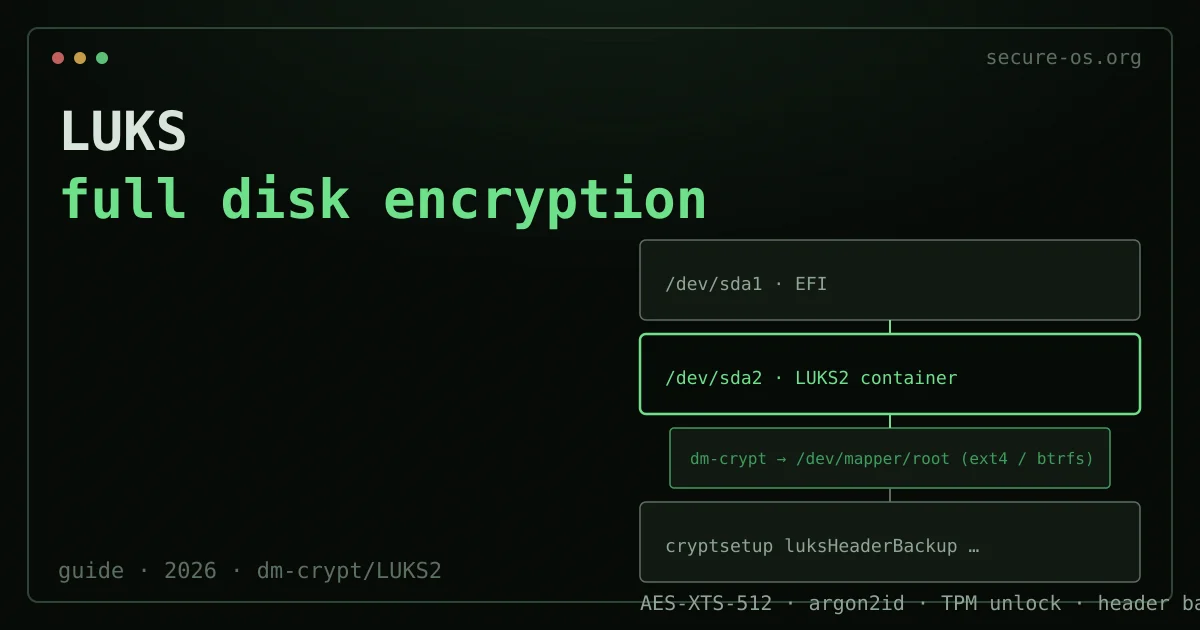
LUKS (Linux Unified Key Setup) is the standard disk encryption format for Linux, built on top of the dm-crypt kernel module. It is the encryption layer used by default when you select “encrypt disk” during installation on Fedora, Ubuntu, Debian, and most other major distributions. If you run Linux and care about data protection, you are almost certainly already using LUKS - or you should be.
This guide covers LUKS2, the current format version (introduced in cryptsetup 2.0.0, 2018). LUKS1 is still supported for compatibility but lacks LUKS2’s Argon2id key derivation, larger header flexibility, and improved resilience. New installs should always use LUKS2.
LUKS is not only for system disks - the same approach covers removable media, as shown in how to encrypt a USB drive.
How LUKS Works
LUKS creates an on-disk structure that consists of:
- A header containing metadata: the cipher algorithm, the key derivation function (KDF) configuration, and up to 32 key slots. The header occupies the first few megabytes of the LUKS partition.
- Key slots: each slot holds an independently encrypted copy of the master key, encrypted with a derived key from a user passphrase (or a keyfile). This allows multiple passphrases or keys to unlock the same volume - useful for a recovery key alongside a daily passphrase.
- The bulk data area: the actual encrypted data, using the master key through the
dm-cryptblock device layer.
The critical implication: the LUKS header is the single point of failure for data recovery. If the header is corrupted or overwritten, the encrypted data is irrecoverable - regardless of whether you know the passphrase. Header backup is not optional.
Inspecting the LUKS volumes you already have
Most people meet LUKS on a machine somebody else set up, so the first question is not how to create a container but what is already encrypted here, and with what. Four commands answer it.
List every block device and see which are LUKS. lsblk marks LUKS partitions with the crypto_LUKS filesystem type, and shows the unlocked mapper device nested underneath:
lsblk -fAsk only for the LUKS partitions, which is quicker to read on a machine with many disks:
sudo blkid -t TYPE=crypto_LUKSRead the header of one of them. luksDump prints the format version, the cipher, the key derivation function, and the state of each key slot:
sudo cryptsetup luksDump /dev/sda3Check what is currently unlocked and mapped, which is a different question from what exists on disk:
sudo cryptsetup status cryptroot
sudo dmsetup ls --target crypt
Where the key actually lives
This trips up almost everyone who reads the header for the first time. Your passphrase is not stored anywhere. What the header holds is up to 32 key slots, each containing the volume’s single master key encrypted with a key derived from a passphrase or a keyfile. Unlocking works by deriving a candidate key from what you typed and trying it against the slots.
Two practical consequences follow. Changing a passphrase does not re-encrypt the disk: it rewrites one key slot, which is why it takes a second rather than an hour. And a header backup is a copy of every key slot, so it must be protected exactly like the passphrase itself, a point developed in the header backup section below.
If the machine unlocks a secondary volume without asking, the keyfile that does it is declared in /etc/crypttab:
cat /etc/crypttabOn Ubuntu specifically
Ubuntu’s installer offers encryption under “Encrypt the new Ubuntu installation for security” in the guided partitioning step, and recent releases create a LUKS2 container there. The important limitation is that this choice is made at install time: there is no supported one-click path to encrypt an existing Ubuntu system afterwards. Converting in place means cryptsetup reencrypt, which is a real operation on a real disk and demands a full backup first. For most people the honest answer is to back up, reinstall with encryption enabled, and restore.
Encryption at rest protects the disk. Not the account that can reset it.
LUKS makes a stolen drive useless without the passphrase, a real and well-defined guarantee. It says nothing about what is reachable while the machine is running, nor about the account that can reset your other accounts from anywhere.
Situate your own attack surface - 10 questions, no account, no email, nothing stored.
Creating a LUKS2 Container
Encrypt a partition or block device
# Format a partition as LUKS2 with AES-XTS-512 and Argon2id KDF
sudo cryptsetup luksFormat --type luks2 \
  --cipher aes-xts-plain64 \
  --key-size 512 \
  --hash sha256 \
  --pbkdf argon2id \
  --pbkdf-memory 1048576 \
  --pbkdf-time 5000 \
  /dev/sdX2
You will be prompted for a passphrase. The --pbkdf-memory 1048576 flag allocates 1 GB of memory for the Argon2id derivation, making brute-force attacks significantly harder. The --pbkdf-time 5000 flag targets 5 seconds of unlock time, further increasing brute-force cost. Adjust these parameters based on the memory your unlock environment (initramfs) can provide.
Open (decrypt) and use the container
# Open the LUKS container, creating a /dev/mapper/cryptdata device
sudo cryptsetup open /dev/sdX2 cryptdata

# Create a filesystem
sudo mkfs.ext4 /dev/mapper/cryptdata
# or btrfs: sudo mkfs.btrfs /dev/mapper/cryptdata

# Mount
sudo mount /dev/mapper/cryptdata /mnt/data
Close the container
sudo umount /mnt/data
sudo cryptsetup close cryptdata
Critical: Header Backup and Restore

Backing up the LUKS header is the most important operational step in this guide. Without it, corruption of the first few megabytes of your encrypted partition means permanent data loss.
Create a header backup
sudo cryptsetup luksHeaderBackup /dev/sdX2 \
  --header-backup-file luks-header-backup-$(date +%Y%m%d).bin
Store this backup file in at least two locations: an offline copy (USB drive in a physically separate location) and a cloud copy with independent encryption. A good option is storing it in a VeraCrypt container or on Proton Drive - the backup itself does not contain the data, but anyone with the backup and your passphrase can access the volume.
Restore a damaged header
sudo cryptsetup luksHeaderRestore /dev/sdX2 \
  --header-backup-file luks-header-backup-20260612.bin
This overwrites the current header with the backup. If the backup is from before you added a key slot, that key slot will be gone after the restore.
Managing Key Slots
LUKS2 supports up to 32 key slots per header. Use this to maintain a strong primary passphrase and a separate recovery key stored offline.
Add a key slot
# Add a new passphrase (prompts for existing passphrase first)
sudo cryptsetup luksAddKey /dev/sdX2

# Add a keyfile
sudo cryptsetup luksAddKey /dev/sdX2 /path/to/keyfile.bin
Remove a key slot
# Remove by passphrase (prompts which to remove)
sudo cryptsetup luksRemoveKey /dev/sdX2

# Remove by slot number (slot 1 in this example)
sudo cryptsetup luksKillSlot /dev/sdX2 1
View active key slots
sudo cryptsetup luksDump /dev/sdX2 | grep -A3 "Keyslot"TPM-Based Auto-Unlock
Modern installs on systems with a TPM2 chip can configure automatic unlocking without a passphrase at boot, while still protecting the key against disk removal. This is appropriate for desktops and servers where boot-time passphrase entry is operationally impractical.
On Fedora and Ubuntu with systemd-cryptenroll:
# Enroll the TPM2 for slot 0 (requires existing passphrase)
sudo systemd-cryptenroll --tpm2-device=auto /dev/sdX2

# Optionally bind to PCR values (adds measured-boot enforcement)
sudo systemd-cryptenroll --tpm2-device=auto \
  --tpm2-pcrs=0+7 \
  /dev/sdX2
PCR 0 covers the firmware measurements; PCR 7 covers Secure Boot state. Binding to these PCRs means the TPM will only release the key if the firmware and Secure Boot state are unchanged from enrollment time - protecting against a modified bootloader.
Limitation: TPM auto-unlock protects against disk removal, but not against an attacker who boots the system normally (they would need to know the passphrase for a separate key slot, or compromise the bootloader without changing PCR values). For a laptop with a high-risk threat model, a PIN-protected TPM or passphrase-only approach may be more appropriate. See the Linux hardening guide for the broader threat model framing.
Performance Benchmarks
On a modern NVMe SSD with a CPU that supports AES-NI hardware instructions (all x86-64 processors since approximately 2010), AES-XTS-512 through dm-crypt adds approximately 2-8% overhead for sequential workloads. Random 4K I/O overhead can be higher - up to 10-15% on some workloads.
Test your specific hardware:
sudo cryptsetup benchmarkThis runs timing tests for all available cipher combinations. On most modern hardware, AES-XTS-512 at 512-bit key (256 bits per XTS key) achieves sequential throughput of 3-8 GB/s - well above the capability of most storage devices.
Practical implication: on a modern laptop with an NVMe drive, you will not notice LUKS overhead during normal desktop use. You might notice it on workloads that move hundreds of gigabytes of data sequentially (large file copies, video editing).
LUKS2 vs VeraCrypt vs BitLocker
| Feature | LUKS2 | VeraCrypt | BitLocker |
|---|---|---|---|
| Platform | Linux only | Linux/Win/macOS | Windows only |
| Hidden volumes | No | Yes | No |
| TPM integration | Yes (systemd-cryptenroll) | No | Yes (native) |
| Multi-key slots | 32 | 512 | Limited |
| Independent audit | Yes | Yes | Partial (Microsoft) |
| KDF | Argon2id / PBKDF2 | PBKDF2 / Argon2 | PBKDF2 |
For a detailed comparison of VeraCrypt and LUKS, see the VeraCrypt guide. For the broader encryption landscape including Tails’s approach to disk encryption, see the Qubes vs Tails vs Whonix comparison.
FAQ
Q: If I forget my LUKS passphrase, is the data unrecoverable? A: Yes - that is the design. If no key slot has a valid passphrase and no keyfile exists, the master key is inaccessible and the data cannot be decrypted. This is why maintaining a recovery key slot (with a strong, stored-offline second passphrase) is essential. Write the recovery passphrase on paper and store it in a physically secure location.
Q: How do I add LUKS encryption to an existing unencrypted partition without data loss?
A: The tool cryptsetup-reencrypt supports in-place encryption of existing data. It is stable as of cryptsetup 2.4.0 but requires careful preparation: a full backup before starting, uninterrupted power during the process, and free space at the end of the partition for the header. Test on non-critical data first.
Q: Does LUKS encryption protect a hibernated Linux system? A: Partly. If the swap partition is also LUKS-encrypted (which it must be, separately, or as a logical volume inside the LUKS container), then the hibernation image on disk is encrypted. However, the decryption key must be loaded at resume time, which typically requires the passphrase. If your system resumes automatically from a TPM without a passphrase, the hibernation image is protected against offline disk access but not against a running-system attack. See the Linux hardening guide for swap encryption configuration.