VeraCrypt in 2026: Complete Guide to Encrypted Containers and Hidden Volumes
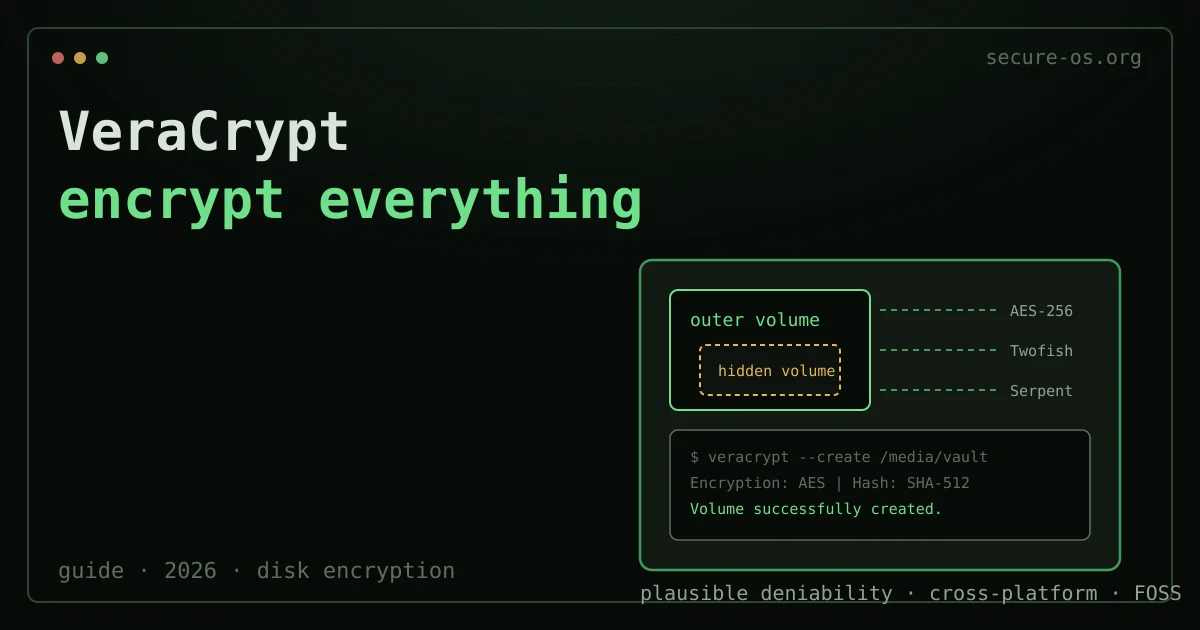
VeraCrypt is the only mainstream, audited, cross-platform disk-encryption tool with plausible deniability built into the design. That combination - widely vetted source code, hidden-volume support, and binaries that run on Linux, Windows and macOS without a recompile - makes it a pillar tool for the threat models this site was built to serve.
Quick answer: VeraCrypt encrypts data in one of three ways: an encrypted file container (a single vault file you mount as a drive), a fully encrypted non-system partition or USB drive, or full system-disk encryption with pre-boot authentication. Install it, create a volume with the wizard (pick AES or a cascade, set a strong passphrase), then mount it to read and write files transparently. For deniability, VeraCrypt can hide a second volume inside the free space of the first. Step-by-step below.
This guide covers VeraCrypt 1.26 (the current stable release as of June 2026), released in August 2023. It is the successor to TrueCrypt 7.1a, which was abandoned in May 2014 after an anonymous warning that has never been fully explained. The VeraCrypt project audited and substantially modified the codebase; a second independent audit was completed in 2016 by QuarksLab and addressed in subsequent releases.
One of the most common uses of VeraCrypt is portable storage - see our step-by-step guide on how to encrypt a USB drive.
What VeraCrypt Does - and What It Does Not
VeraCrypt protects data at rest. When a volume is not mounted, it is indistinguishable from random noise to anyone who does not have the passphrase. When you unmount it, that protection is immediate and complete. When a volume is mounted, you read and write to it like any other drive - the encryption happens transparently in kernel space.
VeraCrypt does not protect running processes, RAM contents, or data already exfiltrated from a mounted volume. It does not protect against a network-level attacker. The threat model it addresses squarely is: someone gets physical access to your storage device while a volume is unmounted.
If your threat model is a state-level network adversary watching your traffic in real time, VeraCrypt is not the tool you need. If it is border seizure, laptop theft, or a warrant served while you are not at your machine, it is close to best-in-class.
Encryption closes one door. Your habits open the others.
A volume you can encrypt is a bounded, well-understood guarantee. It says nothing about where your passwords live, what a lost device still unlocks, or which account can reset all the others.
Situate your own attack surface - 10 questions, no account, no email, nothing stored.
Creating Your First Encrypted Container
The simplest use case: a portable file container
A VeraCrypt container is an ordinary file on your filesystem that acts as a mountable encrypted drive. This is the most portable format - it can live on a USB drive, in cloud storage, or on any filesystem without repartitioning anything. Whether a container is the right tool at all depends on who you are hiding the files from, which is the question how to encrypt a folder works through first.
# Create a 2 GB container called vault.vc
veracrypt --create vault.vc \
  --size=2G \
  --encryption=AES \
  --hash=SHA-512 \
  --filesystem=ext4 \
  --pim=0 \
  --keyfiles="" \
  --random-source=/dev/urandom \
  -t
The --pim flag controls the Personal Iterations Multiplier. A value of 0 uses the VeraCrypt default iteration count - slower to mount but resistant to brute force. A PIM above 485 for AES means more iterations than the default; a PIM below 485 means fewer. The default is generally appropriate.
Mount the container:
veracrypt vault.vc /mnt/vaultUnmount:
veracrypt -d /mnt/vaultCipher choice
VeraCrypt offers AES, Twofish, Serpent, and cascades of two or three of them. For most threat models, AES alone is correct. Cascade ciphers add nontrivial overhead without meaningfully improving security against realistic adversaries - AES-256 has no known practical attacks. Use a cascade only if you have a specific reason to distrust AES hardware acceleration being observable by a side-channel attacker with physical access to your CPU.
Hash algorithm for key derivation: SHA-512 or Whirlpool are both fine choices. Avoid RIPEMD-160 for new volumes - it remains supported for compatibility but offers a shorter internal state than SHA-512.
Hidden Volumes: Plausible Deniability
A VeraCrypt hidden volume is the feature that distinguishes this tool from LUKS encryption, which offers no deniability layer. The design works as follows.
An outer volume is created with a decoy passphrase. Inside the free space of the outer volume, a second (hidden) volume is created with a separate passphrase. There is no header, flag, or on-disk structure that distinguishes the hidden volume area from random free space. When you enter the decoy passphrase under duress, you get a plausible set of files. When you enter the real passphrase, you get your actual data.
This only provides deniability if the outer volume contains believable files. An empty outer volume with random bytes filling the “free space” is not convincing. Treat the outer volume as a real volume with real content.
To create a hidden volume, use the GUI wizard (Text mode: veracrypt -t -c) and select “Hidden VeraCrypt volume” when prompted for volume type. The wizard walks you through creating the outer volume first, then the hidden volume inside it.
Critical: never write more data to the outer volume than its non-hidden portion can hold. If you fill the outer volume past the boundary of the hidden volume, you will silently corrupt the hidden volume. VeraCrypt cannot warn you because acknowledging the boundary would break deniability.
Whole-Disk Encryption on Linux: VeraCrypt vs LUKS

For Linux users, the relevant comparison is always VeraCrypt file containers versus LUKS2 (Linux Unified Key Setup), which is the standard full-disk encryption layer in most Linux distributions.
Where LUKS wins:
- Native kernel integration via
dm-crypt- no additional software required. - Supports multiple unlock keys (keyslots), allowing passphrase + TPM + recovery key simultaneously.
- Better performance on NVMe drives due to tighter integration with the block layer.
- Supported in the initramfs by default on Fedora, Ubuntu, Debian, and Arch Linux.
- Header backup and restore via
cryptsetup luksHeaderBackupis well-documented.
Where VeraCrypt wins:
- Cross-platform: the same encrypted container works on Linux, Windows and macOS without conversion.
- Hidden volume / plausible deniability - no LUKS equivalent.
- Portable file containers that do not require repartitioning.
- Audited by independent parties specifically for its stated security properties.
For a laptop that runs only Linux and never leaves a trusted environment, LUKS2 is almost certainly the right choice. For a researcher who carries files across operating systems or under jurisdictions where compelled decryption is a documented risk, VeraCrypt’s deniability layer has operational value that LUKS cannot replicate.
VeraCrypt on Windows: System Encryption
VeraCrypt can encrypt the Windows system partition, requiring a pre-boot passphrase before Windows loads. The feature works on both BIOS and UEFI systems (UEFI support was substantially improved in 1.24 and stabilized in 1.25).
BitLocker comparison: BitLocker is integrated into Windows Pro/Enterprise, has hardware acceleration on most modern machines, and supports TPM-based auto-unlock (no passphrase at boot). VeraCrypt system encryption has no TPM integration. The choice depends on your threat model: if you want protection against disk theft with a passphrase you control and no Microsoft involvement, VeraCrypt is a reasonable choice. If you need enterprise key management or TPM-backed security without a passphrase, BitLocker with a TPM + PIN (not TPM-only) is well-audited and practical.
Performance Considerations
On a modern x86-64 processor with AES-NI hardware instructions, AES-256 encryption in VeraCrypt adds negligible overhead - sequential reads and writes are typically within 5-10% of unencrypted speed on SSDs. Cascade ciphers (e.g., AES-Twofish-Serpent) reduce throughput to roughly 30-50% of AES-only on the same hardware.
Mount time depends on PIM. The default PIM with SHA-512 takes approximately 1-3 seconds. A PIM of 0 (minimum iterations) unlocks in under a second but is more susceptible to brute force. For containers you mount frequently, a PIM around 100-200 is a practical compromise.
Real Limits and Failure Modes
-
Evil maid attacks: if an adversary can physically access your machine while it is powered off and tamper with the bootloader or hardware, VeraCrypt system encryption does not protect you. See Qubes OS’s approach to this threat and the broader discussion on hardware-level attestation.
-
RAM forensics: when a volume is mounted, the encryption key is in RAM. Cold boot attacks - chilling RAM and transplanting it to recover keys - are documented and have been demonstrated on VeraCrypt volumes. Unmount volumes when not in use.
-
No forward secrecy: unlike transport layer protocols, disk encryption keys do not rotate. If a long-term key is ever compromised, all historical data encrypted with it is exposed.
-
Deniability is not a legal defense in all jurisdictions: the UK Regulation of Investigatory Powers Act (RIPA) Part III requires key disclosure. Plausible deniability is an operational protection, not a guaranteed legal shield.
FAQ
Q: Can VeraCrypt containers be stored in cloud services like Google Drive or Dropbox? A: Yes - a VeraCrypt container is a regular file. Upload it to any cloud service. The cloud provider sees an opaque binary blob. The risk is that cloud sync can corrupt a container if the sync runs while the volume is mounted and being written to; unmount before syncing.
Q: Does VeraCrypt work on macOS Ventura / Sequoia? A: VeraCrypt 1.26.7 and later support macOS 12 through 15. It requires installing the FUSE for macOS (macFUSE) kernel extension, which requires enabling System Extensions in Recovery Mode. The process is documented at veracrypt.fr/en/Downloads.html.
Q: Is VeraCrypt actively maintained? A: The project had a period of slow development between 2018 and 2022, which raised concerns in the community. Since 2022, releases have been more frequent. The source code is on GitHub (veracrypt/VeraCrypt) and independent contributors have been active. The project is not under the same institutional backing as, say, the Tails project or LUKS, which is a legitimate consideration for high-risk deployments.
This guide is part of secure-os.org’s encryption series, which also covers LUKS full-disk encryption on Linux, Linux hardening practices, and the Qubes vs Tails vs Whonix decision framework. The site carries the editorial lineage of the Secure Desktops project (2015-2017) - threat-model-first, no marketing.