Linux Hardening in 2026: The Threat-Model-First Guide
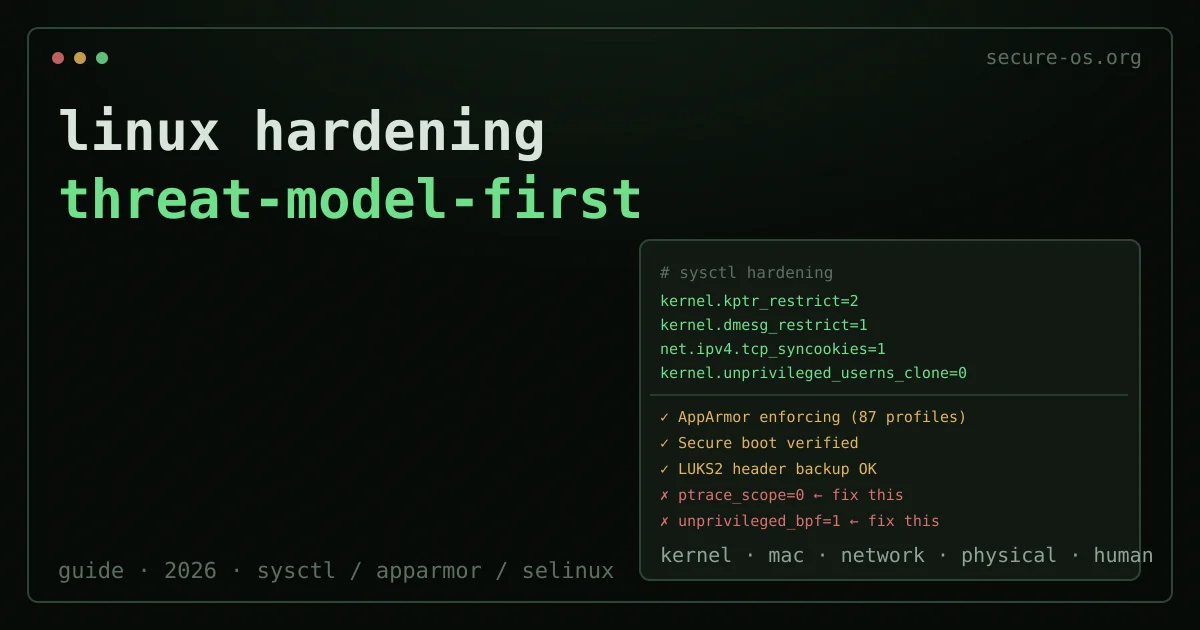
Most Linux hardening guides are checklists. They tell you which sysctl flags to set, which services to disable, which kernel modules to blacklist. They rarely answer the prior question: what threat are you actually defending against?
The answer changes the work. A journalist protecting sources from targeted malware needs very different measures than a sysadmin reducing attack surface on a server with no physical threats. This guide works from threat model to measure, not from measure to rationalization.
It is grounded in the security lineage of this domain - the same operational thinking that drove the Secure Desktops mailing list (2015-2017), where Qubes OS, Tails and Subgraph developers discussed practical hardening without the marketing.
Two layers worth pairing with the steps below: understanding what a firewall actually does, and sandboxing applications with Firejail to confine risky programs.
Step Zero: Define Your Threat Model
Before touching a single configuration file, answer these four questions:
- Who is the adversary? Casual opportunist, organized criminal, corporate investigator, nation-state?
- What are they after? Files on disk, communications, credentials, your identity, your contacts?
- How will they get in? Network exploit, physical access, supply chain, social engineering?
- What resources do they have? Time, money, zero-days, legal authority?
The measures in this guide are grouped by the threat they address. Apply only the layers that match your answers. Over-hardening a workstation creates friction without proportional security gain, and friction causes people to bypass controls.
What hardening does not cover
Everything above narrows what a compromised process can reach on this machine. It says nothing about the paths that never touch this machine at all: a password reused on some service that leaked, a session left open on a device you no longer carry, an account that can reset all the others because it receives the recovery links.
Situate your own attack surface, 10 questions, about three minutes, no account, no email, nothing stored. The result names the one change that reduces your exposure the most, and it is rarely another sysctl.
Kernel Hardening: sysctl Parameters
The following parameters are appropriate for most hardened desktop and server installs. They do not require specialized hardware and have no significant performance impact.
# /etc/sysctl.d/99-hardening.conf

# Restrict kernel pointers from userspace (defeats certain info-leak attacks)
kernel.kptr_restrict=2

# Restrict dmesg access to root (prevents attackers reading kernel memory addresses)
kernel.dmesg_restrict=1

# Disable SysRq key (prevents certain physical-access attacks)
kernel.sysrq=0

# Restrict ptrace to processes with CAP_SYS_PTRACE (limits debug attach)
kernel.yama.ptrace_scope=2

# Disable unprivileged user namespaces (large attack surface, rarely needed on desktops)
kernel.unprivileged_userns_clone=0

# Disable unprivileged eBPF (significant attack surface for CVE exploitation)
kernel.unprivileged_bpf_disabled=1

# Enable TCP SYN cookies (basic DoS resistance)
net.ipv4.tcp_syncookies=1

# Disable ICMP redirects (routing manipulation attacks)
net.ipv4.conf.all.accept_redirects=0
net.ipv4.conf.default.accept_redirects=0
net.ipv6.conf.all.accept_redirects=0

# Disable source routing (rarely legitimate, used in spoofing attacks)
net.ipv4.conf.all.accept_source_route=0

# Enable reverse path filtering (defeats IP spoofing)
net.ipv4.conf.all.rp_filter=1

# Disable core dumps (prevents memory exposure of crashed processes)
fs.suid_dumpable=0

# Restrict symlink and hardlink following (prevents certain privilege escalation attacks)
fs.protected_symlinks=1
fs.protected_hardlinks=1
Apply immediately without reboot:
sudo sysctl -p /etc/sysctl.d/99-hardening.confWhat these do not protect against: these are kernel-level tunables, not application-layer defenses. A browser exploit that does not need ptrace, user namespaces or eBPF is unaffected by the relevant parameters. They are a supporting layer, not a replacement for application isolation (see Qubes OS if isolation is your primary requirement).
Mandatory Access Control: AppArmor vs SELinux
Both AppArmor and SELinux implement Mandatory Access Control (MAC): a policy layer that restricts what processes can do independent of file permissions. MAC enforces the principle of least privilege at the kernel level. If you are unsure which one to enable, our dedicated AppArmor vs SELinux comparison breaks down the path-versus-label design, the maintenance cost, and which threat models each one fits.
AppArmor (Ubuntu, Debian, SUSE default)
AppArmor uses path-based profiles. Each application gets a profile that specifies which files it can read, write or execute, which capabilities it can use, and which network operations are permitted. Profiles operate in two modes: enforce (violations are blocked and logged) and complain (violations are logged but permitted - useful during development).
# Check AppArmor status
sudo apparmor_status

# List all loaded profiles
sudo aa-status

# Put a profile into enforce mode
sudo aa-enforce /etc/apparmor.d/usr.bin.firefox

# Generate a new profile for an application
sudo aa-genprof /usr/bin/myapp
The Ubuntu and Debian repositories include pre-written profiles for common applications. Install them:
sudo apt install apparmor-profiles apparmor-profiles-extraPractical recommendation: on an Ubuntu or Debian system, ensure AppArmor is enabled at boot (verify with sudo apparmor_status | grep "profiles are in enforce mode") and that Firefox, Chromium, and any server processes (nginx, sshd, cups) run with enforce-mode profiles.
SELinux (Fedora, RHEL, CentOS default)
SELinux uses label-based policies. Every process, file, socket and user gets a security context (a label), and policy rules define which contexts can interact. This is more fine-grained than AppArmor but significantly more complex to maintain.
On Fedora, SELinux is enabled in Enforcing mode by default. Verify:
getenforce
# Should output: Enforcing
Do not disable SELinux. A common and wrong response to SELinux denials is setenforce 0. Instead, diagnose the denial:
sudo ausearch -m avc -ts recent | audit2allow -aThe audit2allow tool suggests policy modules that would permit the denied action. Review them before applying - the goal is to understand why the denial occurred, not to blanket-permit it.
Kernel Boot Parameters

Boot parameters (set in the GRUB configuration) apply earlier in the boot process than sysctl and address different attack surfaces.
Add to GRUB_CMDLINE_LINUX in /etc/default/grub, then run sudo update-grub:
# Disable SMT if you have a high-threat CPU side-channel model (Spectre, MDS)
# Performance cost: significant (up to 30-50% on multi-threaded workloads)
# Only appropriate for threat models involving local co-tenancy or targeted CPU attacks
# mitigations=auto,nosmt

# Enable all CPU vulnerability mitigations (default on most distros, worth verifying)
mitigations=auto

# Randomize page allocation (increases difficulty of certain heap exploitation)
page_alloc.shuffle=1

# Enable kernel lockdown (Integrity or Confidentiality mode)
# Locks down several features used by rootkits; may break some functionality
lockdown=integrity

# Disable old IPv4 network protocols rarely used (reduce attack surface)
ipv6.disable=0   # Keep IPv6 enabled; disable if genuinely unused

# Disable Firewire DMA (physical access attack vector on older hardware)
module.sig_enforce=1
lockdown=confidentiality note: this mode prevents even root from reading kernel memory via /dev/mem and similar interfaces. It breaks some legitimate uses (certain drivers, kexec, hibernation). Use integrity mode unless you have a specific reason for confidentiality.
Filesystem and Service Hardening
Mount options
In /etc/fstab, add security mount options where appropriate:
# /tmp: no execution, no device files, no SUID bits
tmpfs /tmp tmpfs defaults,noexec,nodev,nosuid 0 0

# /var/tmp: same
tmpfs /var/tmp tmpfs defaults,noexec,nodev,nosuid 0 0

# /home: no device files, no SUID (noexec breaks some workflows - test first)
/dev/mapper/home /home ext4 defaults,nodev,nosuid 0 2
Disable unused services
Each running service is an attack surface. On a desktop:
# List enabled services
systemctl list-unit-files --state=enabled

# Common candidates for disabling on a desktop with no network service requirements:
sudo systemctl disable cups   # Printing - if you never print
sudo systemctl disable avahi-daemon  # mDNS - if you don't need .local resolution
sudo systemctl disable bluetooth  # If not using Bluetooth
On a server, the principle is more aggressive: only services required for the machine’s stated function should run. Every listening socket should have a documented reason to exist.
If you route traffic through a VPN on a hardened machine, the client matters as much as the provider: it rewrites your routing table and firewall. Our comparison of VPN clients for Linux judges them on exactly that: repository packaging, an nftables kill switch and no root at runtime.
Verified Boot and Secure Boot
Secure Boot with your own enrolled keys (not just the default Microsoft keys) protects against bootkits that load before the OS. On Fedora and Ubuntu, the distributions sign their bootloader and kernel with keys that are trusted by the UEFI firmware by default.
For a higher-assurance setup, replace the default keys with your own:
- Generate your own Platform Key (PK) and Key Exchange Key (KEK).
- Enroll your key in UEFI firmware (process varies by vendor).
- Sign your bootloader and kernels with your key using
sbsign. - Disable “Other OS” or “Compatibility Support Module” in UEFI firmware.
This is operationally complex and generally appropriate only for high-threat deployments. The Heads firmware project and similar projects take this further, extending measured boot into a TPM-backed chain of trust.
Checklist by Threat Model
Opportunist / mass malware: sysctl defaults above, AppArmor/SELinux enforcing, encrypted disk (LUKS), regular updates. This handles 95% of commodity threats.
Targeted attacker with network access: add service minimization, restrictive firewall (nftables/ufw), application sandboxing (Firejail or Flatpak), network egress monitoring.
Adversary with physical access and resources: full-disk encryption with strong passphrase + header backup, Secure Boot with custom keys, Tails OS for sensitive operations, consider Qubes OS for compartmentalization. Review the Secure Desktops charter for the operational principles behind these choices.
State-level / nation-state: consider whether a hardened Linux workstation is the right tool at all. Qubes OS with a careful qubes architecture is closer to the appropriate instrument. Air-gapped machines for the most sensitive operations. No single-point-of-failure for key material.
FAQ
Q: Does disabling unprivileged user namespaces break anything? A: It breaks applications that rely on them without root - notably Chromium sandboxing on systems that use it, and certain container runtimes (rootless Docker/Podman). On desktop Ubuntu/Debian, you will likely need to re-enable for Chromium. The trade-off is documented; decide based on your threat model.
Q: Should I use a hardened kernel (linux-hardened on Arch, or grsecurity)?
A: linux-hardened in Arch Linux applies a reasonable set of upstream hardening patches and is worth using if you are on Arch. Grsecurity patches are no longer publicly available. The upstream kernel has absorbed many formerly grsecurity-only features (KASLR, stack protector, FORTIFY_SOURCE, etc.) since the late 2010s.
Q: Is Fedora or Ubuntu more hardened out of the box? A: Both ship with MAC enforcing (SELinux on Fedora, AppArmor on Ubuntu), modern kernel mitigation defaults, and automatic security updates. Fedora generally ships newer kernel versions faster. Ubuntu LTS trades cutting-edge for long-term support. For a hardened workstation, either is a reasonable starting point; the measures in this guide apply to both.
Related reading: Linux Audit Log Commands · Fail2ban Does Not Secure SSH, and Its Own README Says So · systemd Service Hardening · Wayland vs X11
If the server also publishes a website, the browser side has its own short list: security headers checklist, measured on 301 public bodies.
Patching is the layer under all of this: what Ubuntu’s unattended-upgrades installs by default, and what it leaves off.