Best VPN for Linux in 2026: Three Clients That Behave Like Linux Software
The short answer: on Linux, pick Proton VPN if you want a maintained GUI and CLI from the vendor’s own repository, open-source apps, and a free tier with no data cap. Pick Mullvad if you want to pay a flat fee without giving an email address, and you do not need port forwarding. Pick NordVPN if you want a polished everyday client with a GUI and extras like Double VPN, and you accept a subscription that renews at a higher rate than the first term. All three ship .deb and .rpm packages from their own repositories, so Ubuntu, Mint, Debian and Fedora are covered. None of the three ships an official Arch package: Proton’s own support page says its Arch app and CLI are maintained by a community contributor, and the others rely on community AUR builds.
Most “best VPN for Linux” lists are Windows reviews with a Linux paragraph bolted on. They score server counts and streaming unblocks, which say nothing about whether the client will still be blocking traffic after your laptop wakes from suspend. This guide only looks at what a VPN does on a Linux machine: how it installs, what it does to your routing table and firewall, what privileges it needs, and what happens when the tunnel drops. Facts about each provider were checked against the vendor’s own pages and source repositories on 17 October 2026.
What actually matters in a Linux VPN client
Five things separate a VPN that works on Linux from one that merely has a Linux download page.
A real package from a real repository. A .deb or .rpm served from the vendor’s signed repository gets updated with apt or dnf like everything else on the system. A tarball with a shell script does not, and it will drift out of date on exactly the day a kernel update breaks it.
A kill switch implemented in the firewall, not in the app. When the tunnel drops, the only reliable way to stop traffic escaping is a firewall rule (nftables or iptables) that refuses anything not going through the VPN interface. A client that watches its own connection and “pauses” from userspace loses the race every time. Our page on what a VPN kill switch does explains the difference and how to test it in two minutes.
No root at runtime. The daemon needs privileges to change routes; the thing you click or type should not. A client that asks for sudo on every connect is either lazy or badly designed, and either way it widens what a bug in the client can do.
A CLI that can be scripted. Half the point of Linux is that you can tie things together. A client without a command line cannot be started by a systemd unit, cannot be checked by a script, and cannot be used on a headless box at all.
Open-source client code. You are handing this program the right to rewrite your routing table and firewall. You should be able to read it, and so should the auditors the vendor pays.
Price, jurisdiction and logging policy matter too, but they matter on every platform. The five points above are the Linux-specific ones, and they are where the three providers below differ.
The comparison at a glance
| Proton VPN | Mullvad | NordVPN | |
|---|---|---|---|
| Official packages | .deb, .rpm (GUI and CLI) | .deb, .rpm (GUI) | .deb, .rpm (CLI, GUI) |
| Distros stated by the vendor | Debian, Ubuntu, Fedora; Arch through a community package | Ubuntu 24.04+, Debian 12+, Fedora 43+ | Debian/Ubuntu and Fedora/RHEL families |
| Arch Linux | Official CLI | Community AUR package | Community AUR package |
| Kill switch | Yes, plus permanent (always-on) mode | Yes, advanced kill switch | Yes, firewall-based with nftables |
| Runs without sudo | Yes, both GUI and CLI | Yes, daemon handles privileges | Yes, daemon handles privileges |
| Client source code | Open source | Open source, app audited by X41 in November 2024 | CLI open source on GitHub (release 5.4.1, 13 October 2026) |
| Free plan | Yes, no data cap, 10 countries, 1 device | No | No |
| Account | Email address | Account number only, no email | Email address |
| Price model | Monthly, 1 year, 2 years, cheaper the longer the term | Flat 5 EUR per month for any term, no sales, 10 percent off with crypto | Multi-year discount, higher price at renewal |
| Port forwarding | Yes (paid) | No, removed | No |
| Jurisdiction | Switzerland | Sweden | Panama |
The table hides one thing worth stating plainly: all three do the hard part correctly. They all install from a repository, they all implement a kill switch in the firewall, and none of them makes you run the user-facing part as root. The differences are in price model, in what the account knows about you, and in extras.
1. Proton VPN: the best default, and the only serious free option
Proton publishes a GUI app and a CLI for Debian, Ubuntu and Fedora; on Arch, both come from a package Proton documents as maintained by a community contributor (protonvpn.com, checked 17 October 2026). Both install from Proton’s own repository and both run without sudo. The GUI includes the kill switch, a permanent kill switch that stays enforced across reboots, NetShield DNS filtering, Secure Core double-hop routing, custom DNS, port forwarding and full IPv6 support. The apps are open source and Proton’s no-logs policy has been audited.
The free plan is what makes Proton the sensible first recommendation for a Linux user. It has no data cap and no artificial speed limit beyond a “medium” tier, covers one device at a time, and picks a server for you from 10 countries. That is enough to run a kill-switched tunnel on hotel Wi-Fi for as long as you like. If you find yourself wanting a specific country, more devices or the paid-only features, the upgrade path is inside the same client.
The honest downsides: the account is tied to an email address, which Mullvad avoids entirely. The newer CLI still lags the GUI on some features. And the headline price on the pricing page is the two-year rate; the monthly rate is noticeably higher, and after the first two years the plan renews yearly at a different amount, so read the footnote before you take the number on the big button at face value.
Best for: anyone who wants one client for a desktop and a headless box, people on Fedora or Ubuntu who want a GUI, and anyone who wants to start free and decide later.
2. Mullvad: pay a flat fee, give no email, read the source
Mullvad does three things nobody else on this list does. It charges 5 EUR per month whatever the term, including VAT, with no introductory pricing and no sales, and the vendor says so on its pricing page. It issues you an account number instead of an account, so there is no email address, no password reset and nothing to phish. And it accepts cash in an envelope, Monero and Bitcoin, with a 10 percent discount for cryptocurrency because of lower fees.
The Linux app is a GUI, open source, with a .deb and .rpm served from Mullvad’s repository. The vendor states support for Ubuntu 24.04 and later, Debian 12 and later and Fedora 43 and later, 64-bit only, with ARM64 builds too. It has an advanced kill switch, split tunneling, multihop, Shadowsocks obfuscation and automatic WireGuard key rotation. The app was last audited by X41 D-Sec in November 2024, and the report is public. Up to five devices per account.
The honest downsides: there is no free tier, no port forwarding (Mullvad removed it), and Arch users get a community AUR package rather than an official one. The flat price also cuts both ways. Over two years it is more than the discounted two-year rates of the other two, and over one month it is less than either of their monthly rates.
Best for: people whose threat model includes the VPN provider’s own customer database, anyone who refuses to hand out an email address, and anyone who is tired of subscription pricing games. Mullvad has no affiliate programme, so this recommendation earns us nothing.
3. NordVPN: a polished everyday client, now with a Linux GUI
For years NordVPN on Linux meant a command-line client and nothing else. Since 2025 there is a graphical app as well, and the CLI it sits on is published under an open-source licence on GitHub, where the release log is public. The most recent release at the time of writing is 5.4.1, dated 13 October 2026, which among other things turns off DNSSEC automatically on NordVPN’s resolvers because they do not support it. That level of detail in a changelog is a good sign.
Technically the client is well built for Linux: it drives WireGuard (branded NordLynx) and OpenVPN, manages the firewall with nftables, sets routes over netlink and configures DNS through systemd-resolved, resolvconf or NetworkManager depending on what the system uses. The kill switch is a firewall rule, not a userspace watchdog. Threat Protection, Double VPN, Onion over VPN and post-quantum key exchange are available on Linux. Meshnet, the device-to-device feature, was CLI-only when the GUI launched and we could not confirm it has reached the GUI since.
The honest downsides: it is the most aggressively marketed of the three, and the pricing reflects it. The low advertised price is a multi-year rate that renews at a higher one, so treat the first-term figure as a promotion, not a price. There is no free plan, and Arch support is a community AUR package. The company is based in Panama, which has no mandatory data-retention law but also puts you a long way from any regulator if something goes wrong.
Best for: people who want the most polished GUI and the broadest server network on Linux, and who are happy to set a calendar reminder for the renewal date.
Which one for your distro
Ubuntu and Linux Mint. All three work out of the box: Mint is Ubuntu underneath, so every .deb repository above applies. Proton gives you a GUI and a free tier, Mullvad gives you anonymity at purchase, NordVPN gives you the smoothest GUI. If you are on a Mint release older than the Ubuntu 24.04 base, check Mullvad’s minimum version first.
Fedora. All three publish .rpm packages. Mullvad states Fedora 43 and later, so an older Fedora needs an upgrade first. Proton’s and NordVPN’s repositories track Fedora releases without a stated minimum.
Debian. Mullvad wants Debian 12 or later. Proton’s GUI and CLI both list Debian officially. NordVPN’s repository is shared with Ubuntu.
Arch and derivatives. Proton’s CLI is the only client with official Arch support on this page. Mullvad and NordVPN are both available from the AUR as community-maintained packages, which means somebody who is not the vendor is building the thing that rewrites your firewall. If that bothers you, and it should if you read our piece on AUR safety, Proton’s CLI or a plain WireGuard configuration from any of the three providers is the cleaner route.
Headless servers and Raspberry Pi. Use the CLI, not the GUI. Proton’s CLI and NordVPN’s CLI both run on a box with no desktop. Mullvad publishes ARM64 packages and WireGuard configuration files, which work on any Pi running a 64-bit OS without a client at all.
The two-minute check after you install any of them
Do this before you trust the thing, on every provider.
# 1. Note your real address, then connect.
curl -4 https://ifconfig.me ; echo
# 2. Turn the kill switch on in the client, then pull the tunnel down the hard way.
sudo ip link set dev wg0 down 2>/dev/null || sudo ip link set dev proton0 down 2>/dev/null
# 3. This must now FAIL. If it prints your real address, the kill switch is decorative.
curl -4 --max-time 5 https://ifconfig.me ; echo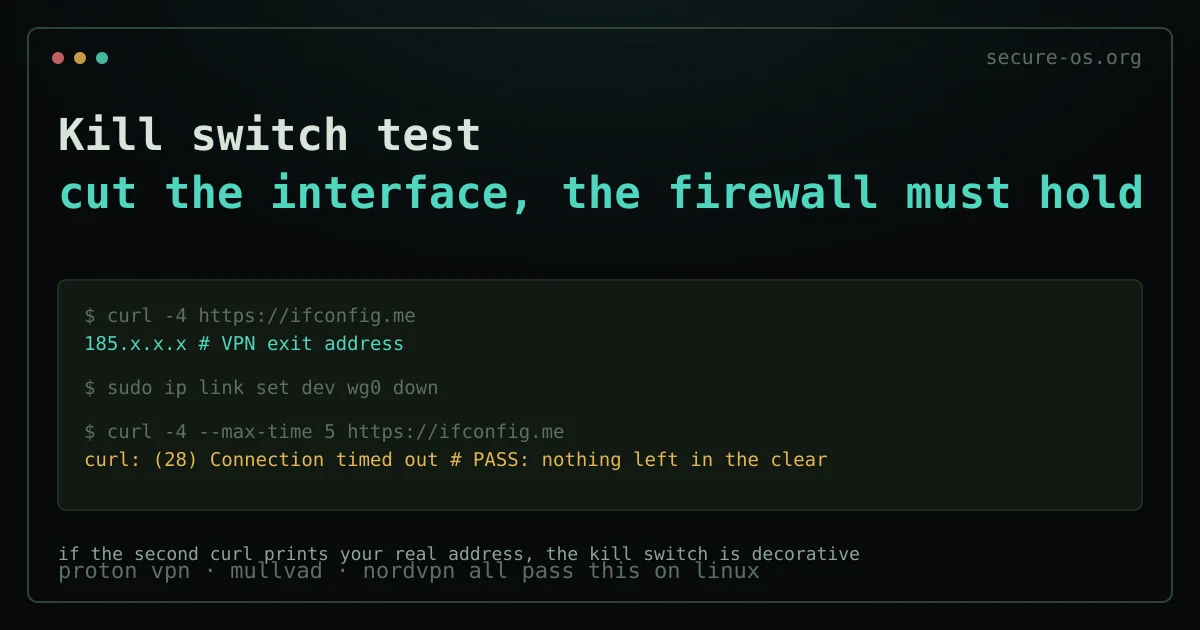
The interface name differs by client (wg0, proton0, nordlynx or similar); ip link lists them. Bring the tunnel back up with the client afterwards. The point of the test is that the client did not get to decide: you cut the interface underneath it, and the firewall still held. A client that fails this test is not giving you what you paid for, and no server count fixes that.
Also check what your DNS is doing. A tunnel with DNS queries leaking around it hands your provider the list of sites you visit, even though every page loaded through the VPN.
What a VPN on Linux does not do
This matters more on Linux than elsewhere, because Linux users tend to assume the OS is already doing the privacy work. It is not, and neither is the VPN.
A VPN moves trust from your ISP to the VPN operator; it does not remove it. It does nothing against browser fingerprinting, which identifies you by your machine’s characteristics regardless of your address. It does not make a seized laptop safe; full-disk encryption does that. And it is not Tor: if your problem is being identified at all rather than being identified by your ISP, the Tor explainer covers why these are different tools.
Choose a VPN for what it is: an encrypted tunnel to a server that speaks for you. On Linux, the question is only whether the client doing that is built properly, and all three above are.
Frequently asked questions
What is the best free VPN for Linux?
Proton VPN’s free plan. It runs the same open-source Linux client as the paid plan, with a kill switch, no data cap and no artificial speed limit beyond a medium tier, on one device at a time, with a server chosen for you from 10 countries. The other free VPNs you will find for Linux are either data-capped, closed-source, or funded by selling what they see.
Does NordVPN work on Linux?
Yes. NordVPN publishes an open-source command-line client for Debian, Ubuntu, Fedora and RHEL-family distributions, and since 2025 a graphical app as well. The client manages the firewall with nftables and supports NordLynx (WireGuard), OpenVPN, the kill switch, Threat Protection and Double VPN on Linux.
Which VPN works best on Arch Linux?
Proton VPN’s CLI is the only client on this page with official Arch Linux support. Mullvad and NordVPN are installable from the AUR as community packages. If you would rather not run a community-built firewall manager, all three providers let you export plain WireGuard configurations that work with the standard wireguard-tools package.
Is a VPN even necessary on Linux?
Not for malware; Linux is not what a VPN protects against. It is necessary on networks you do not control, such as hotel and airport Wi-Fi, and useful whenever the party you want to stop seeing your destinations is your own internet provider. For everything else, the right tool is usually something other than a VPN.
Can I just use WireGuard without a VPN app?
Yes, and on a server it is often the better choice. All three providers let you download WireGuard configuration files and use them with wg-quick. You lose the automatic kill switch, server switching and DNS filtering that the client provides, so you need to write the firewall rule yourself. Our WireGuard versus OpenVPN comparison covers what you gain and lose.